
Doing business today is not easy. If you work alone, in a team, or as an influencer, there are always lots of small jobs to finish. Automation is like having a helper on your team. It takes care of repetitive work, so you have more space to think about big ideas.
In this guide, you will find the best free and free automation tools for all kinds of business needs. You will see tools for project management, social media, emails, customer service, sales, and more. Every tool is simple enough for people without technical skills, and many suit WordPress sites too.
Doing everything by hand can lead to mistakes. When you are busy, small errors can hurt your business. Automation fixes this. These tools finish routine jobs in the background, so you work faster and better. You can schedule posts, track your projects, send emails, or answer customers while you sleep. This means your marketing continues every day, your support is faster, and your team can focus on important tasks.
Below you will see the top free automation tools for each work area. Each tool has a simple overview, main features, and what comes with the free plan.
Bringing automation tools into your workflow isn’t just about saving time; it’s about simplifying workflows and making them more meaningful for you and your team. Automating everyday tasks gives you the freedom to do more creative and strategic projects. Imagine what you could do more if you spent less time on routine work and more time moving your business forward.
Another big plus of automation is the increasing accuracy. Machines don’t get tired or distracted, so there’s less chance for mistakes. By using these tools, you’re not only saving money but also delivering a smoother, more reliable customer experience. That’s a combination that helps set your business apart and puts you in a strong position to keep growing.
Finding the right free automation software doesn’t have to be stressful. Begin by thinking about the tasks that eat up the most time in your day. Do you spend hours posting on social media, sorting through customer emails, or keeping track of projects? Zero in on your main pain point. What slows you down most often? Once you know, look for a tool that specializes in solving that exact problem.
Also, keep things simple. The best automation tool for you should be easy to set up and use, especially if you’re not a tech expert. Search for options with clean interfaces, no-code features, or drag-and-drop builders that don’t require any background in programming. Lastly, pay attention to what the free plan includes. Make sure it gives you enough room to grow and try things out before you decide if you need more advanced features or a paid upgrade.
Taking these steps will help you choose a tool that not only fits your business needs but also saves you both time and effort, letting you focus on what matters most.
Here’s a simple table to help you compare all the automation tools mentioned in this guide. See at a glance which ones are free and what they’re best used for.
| Tool Name | Free Access | Uses |
|---|---|---|
| Bit Flows | Yes | Build AI-powered workflows without limit |
| Trello | Yes | Organizes projects visually |
| Asana | Yes | Manages team tasks, projects |
| Bit Integrations | Yes | Automate your WordPress data to external platforms |
| Bit Social | Yes | Shares posts on social media |
| HubSpot CRM | Yes | Manages contacts and sales |
| Mailchimp | Yes | Basic email marketing campaigns |
| Brevo | Yes | Email, SMS, transactional messages |
| Bit Assist | Yes | Aggregates all support channels |
| Tidio | Yes | Live chat and chatbots |
| Google Analytics 4 | Yes | Measures web and app traffic |
Use this quick view table to choose which tools fit your needs. Trying free tools first helps you find out what works best for your business before investing in premium features.
Doing projects alone can get confusing. Keeping track of progress is hard without a system. These tools help you manage your work, break tasks into smaller steps, and automate simple jobs.
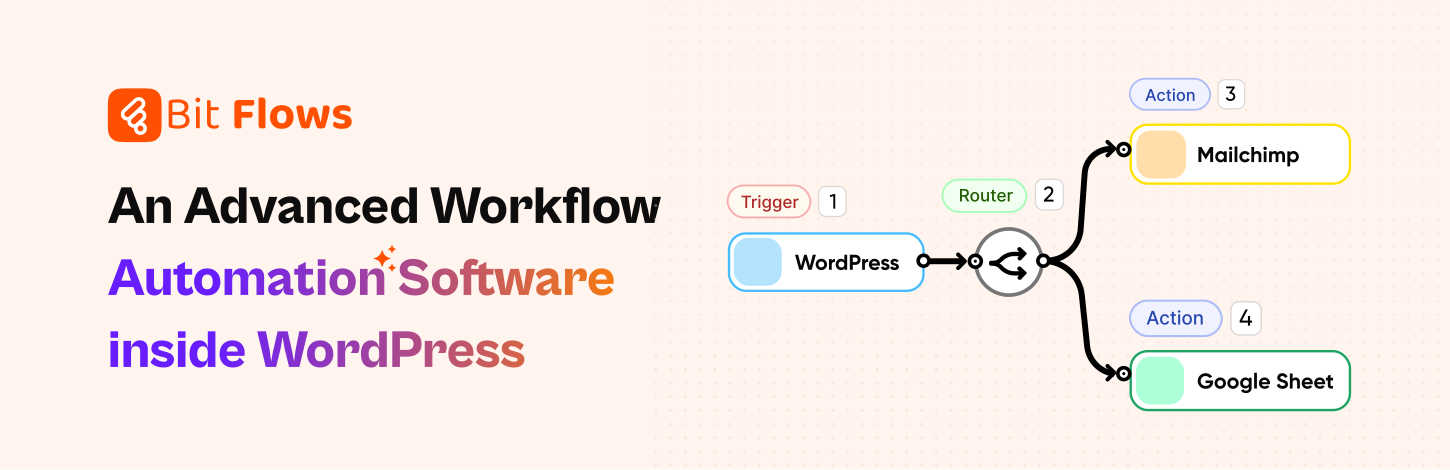
Bit Flows is made to connect your WordPress site with over 210+ other tools and services. You don’t need to know any code. You can easily create flows by dragging and dropping steps in a visual canvas, so you see how it all fits.
Also, you can add AI tools like ChatGPT, Gemini, Deepseek, and more to make AI-Powered workflows. Small businesses and teams use Bit Flows to automate things like sending updates, moving data, or posting alerts. The platform lets you choose each step, and you decide how your work should flow.
Key features:


Trello gives you boards, lists, and cards to manage projects. You can see your work at a glance. Add notes, tasks, images, or comments to cards. Trello is simple and works well for everyone, students, families, small teams, and big companies. You can use it on your computer or your phone. It’s easy to see what work is done and what is next.
Key features:

Asana helps you organize tasks and projects with your team or on your own. You can see your work in lists, as boards, or on a calendar. Everything your project needs, tasks, files, and conversations, stay together. Asana keeps everyone updated. It makes it easy to share updates, check on tasks, and never forget a deadline.
Key features:
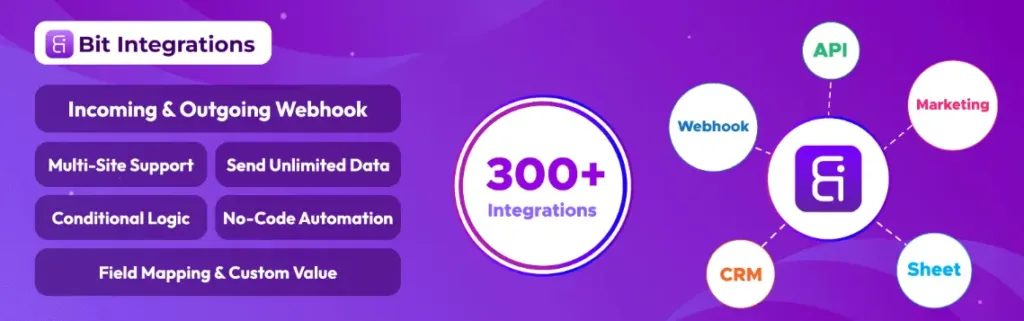
Bit Integrations connects your WordPress site to 300+ other services, all without code. You can link forms, WooCommerce, CRMs, and many more platforms. It syncs your data between tools automatically, so you don’t have to copy and paste. It’s popular with site owners who want to save time and avoid human mistakes.
Key features:
Posting on social media every day can feel impossible. Automation here assures you keep your pages updated even when you don’t have time to log in.
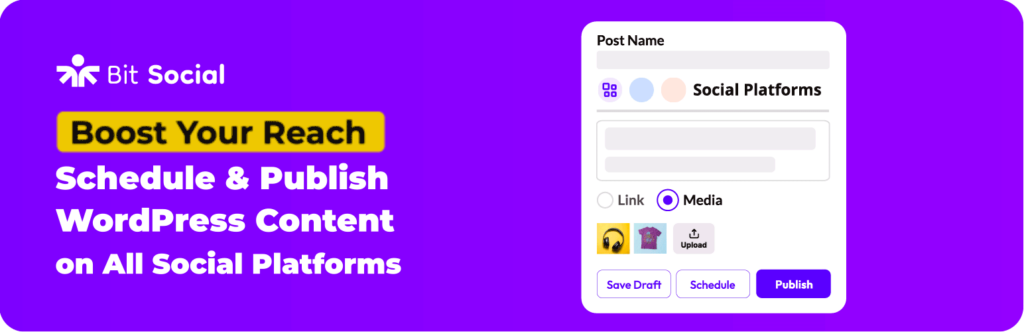
Bit Social is a plugin that posts your WordPress content straight to social media. You can schedule or instantly share content to Facebook and LinkedIn for free. It also shares old posts, so your feed doesn’t go quiet. Bit Social is for bloggers, shop owners, and anyone who wants to keep social media working all the time.
Key features:
It is hard to track leads and customers by yourself. These tools organize sales, follow-ups, and help you build relationships.

HubSpot’s free CRM does sales, marketing, and service. Manage up to one million contacts, organize sales deals, automate emails, create landing pages, and add live chat. With HubSpot, you keep all your customer work in one dashboard. It suits small businesses that want easy, organized contact and sales management.
Key features:
Email is still important for reaching people. These tools let you send emails at the best time, welcome new users, and keep lists updated, all with little work. Let’s explore our top picks of email marketing automation tools.

With Mailchimp, setting up and sending emails is simple. The free plan includes 500 contacts and 1,000 email sends per month. You can design newsletters, landing pages, signup forms, and a basic website, even if you are new to marketing. Mailchimp fits first-time users and small businesses that want one place to start their email list.
Key features:
Paid plans add more contacts, extra lists, smarter automations, and A/B testing.

Brevo gives you email, SMS, WhatsApp, and more tools for connecting with customers. You can add an unlimited number of contacts, send 300 emails per day for free, and create messages that look great. Brevo works with WooCommerce, Shopify, and WordPress, making it easy to set up campaigns and keep in touch.
Key features:
Quick answers make customers happy. With these tools, you help people faster, even when you cannot reply in person.

Bit Assist puts all your chat, support, and social channels into a single button for your website. With this tool, you can reply through WhatsApp, Facebook, Telegram, and other apps, all from one place. Bit Assist is easy to set up, even if you’ve never made a support channel before. It is good for shop owners, bloggers, or anyone who wants to support customers easily.
Key features:

Tidio helps you talk with customers online. Bring all your chats from Facebook, Instagram, WhatsApp, and your site to one dashboard. Build chatbots with simple clicks, and help people even when you are offline. Tidio is made for shops and services that want simple, friendly chat tools.
Key features:
It is a great, simple tool for small business support.
To find what works and fix what does not, you need numbers. Analytics tools show you visitor actions, marketing success, and sales in a simple way.

Google Analytics 4 tracks everything your visitors do on your website or app. It does more than count visits; you see how people browse, which ads work, and what leads to sales. GA4 is free and offers tools for simple or advanced analysis, no matter the business size.
Key features:
Choosing the best automation tool shouldn’t feel overwhelming. Think about the daily tasks that take up most of your team’s time. Are you always sharing blog posts to social media, or is managing your email list a struggle? Automation can help you reclaim your focus for strategy and creativity instead of routine jobs.
When you want to keep your social feeds active without constant effort, check out Bit Social. It takes care of posting your website updates on platforms like Facebook and LinkedIn. This helps you stay visible and connect with your audience easily.
If your goal is to nurture leads through email, you have great options. Mailchimp works well if you’re just starting out or have a smaller subscriber list. You can also send your contact form data to MailChimp for free by using Bit Flows.
Creating a welcome series or regular newsletters becomes simple with their easy tools. Need more power? Brevo supports unlimited contacts and even lets you send SMS campaigns, making it a solid pick for growing audiences. Bit Flows helps you sync your contact form data to Brevo for free.
The best tip is to match your choice to your main bottleneck. Automation doesn’t replace your team’s creativity; it gives you more time to focus on what matters most: connecting with people and growing your brand.
Finding the right free automation tools isn’t just about saving timeit’s about making your work life better and giving your team room to shine. We’ve looked at how tackling the tasks that eat up your day and choosing tools that are easy to use can have a real impact.
Whether you want to take the stress out of social media, organize your emails, or simply get more done with less effort, the right automation tool can help you focus on those big ideas and connect more meaningfully with your customers.
Ready to get started? Try out one of the tools we shared and see how it fits into your daily routine.
What’s the first thing you want to automate? Choose the right tool for it and start the automation magic!
Top free tools include Bit Flows, Trello, Asana, HubSpot CRM, and Mailchimp. These tools automate tasks across project management, sales, and marketing.
Automation improves efficiency by handling repetitive tasks, reducing errors, and freeing up time for more strategic work.
Social media automation tools like Bit Social automatically post your content, keeping your audience engaged without constant effort.
Mailchimp and Brevo (Sendinblue) are perfect for small businesses. These tools offer easy-to-use email automation and SMS integration on free plans.
Tools like Trello, Asana, and Bit Flows offer free plans to automate project tracking, task management, and team collaboration without coding.
Bit Assist and Tidio help manage customer support by integrating live chat, social media, and more, automating responses for faster service.
Bit Integrations and Bit Flows allow easy and powerful automation for WordPress, integrating apps, managing data flow, and connecting tools without coding.
Focus on the tasks you struggle with most, like social media or email marketing, and choose a tool that offers simple, no-code automation to fit your needs.




 EN
EN  DE
DE  ES
ES  NL
NL  IT
IT  PT
PT  JA
JA