
As you’ve ended up reading this blog, that means you know about automation and want to know about WordPress automation tools and plugins. Still, let me share some informative stats about automation with you.
Did you know that at today’s date, 50% of work can be automated? There are unlimited tasks if you’re running a WordPress site or any business site, so doing them manually can feel like burdening yourself and your team. And leaving you with very little energy to focus on other crucial parts of a business.
Exactly, that’s where automation tools come to the rescue. They enable your workflows to run without any obstacles and make sure you get enough time to concentrate on other important strategic tasks.
So, in this guide, our motive will be to explore some of the best WordPress automation plugins of 2026. Also, make sure you stick to the end, there will be a bonus gift for you.
To be honest, the digital landscape of 2026 is more competitive than you can imagine. To survive in this competitive world, you need automation. Whether it’s for efficiency, credibility, scalability, or excellent customer experience, you need automation.
Even for normal humans, constant, repetitive tasks are irritating and time-consuming. If you notice, running a WordPress or any website involves many repetitive and complex tasks, which makes employees overwhelmed. They think these tasks are reducing their productivity and not helping them learn.
From running marketing campaigns to responding to unlimited customer queries, managing massive sales funnels, and streamlining complex workflows, automation is the key to efficiency.
If you look at the stats collected by the Salesforce team, you’ll be shocked. According to the study, automating these repeatable tasks increases global productivity growth by 0.8-1.4% every year. About 51% of companies believe automation saves costs.
So, by looking at these stats, I’m sure you’ve got the idea of how the need for automation is growing in this evolving world. Next, let’s see how automation tools help to simplify and speed up your workflows.
Before proceeding, you can learn what is an automation plugin? from our recent blog.
Moving on, as said earlier, automation helps businesses function more efficiently, become more responsive and competitive, and stay updated in their markets. With a WordPress automation plugin, industries can amplify their business processes and increase employee productivity. In this section, I’ll be discussing some of the significant benefits of automation tools in workplaces.
However, automating these tasks will not only save you hours every day but will also enhance your creativity.
Let me explain with an example. As an online store owner, earlier, you’d have to regularly check your inventory stock after every sale, and that too manually. But if you use a solid automation plugin, you’ll no longer have to juggle the inventory. It’ll be automatically updated, saving you time and effort. Also, it prevents stock issues.
Let me give you an example, You can send automated welcome and follow-up emails or remind customers shopping online of their abandoned carts. This way, you’ll be able to satisfy your customers and make a good impression of your company.
Now that we’ve understood how automation is leading the world and the advantages of incorporating automation in a business. Next, let’s check out the top 12 WordPress automation tools of different categories.
If you want to simplify your business operations and boost productivity, dive into this finely curated list of the best WordPress Automation Tools and Plugins in 2026. This list will be filled with tools from different categories.
Whether you’re looking to automate email marketing campaigns, customer support activities, complex workflows, social media posting, or HR department processes, you’ll surely find the perfect match in this list. So sit back and explore the tools to streamline your tasks in no time.
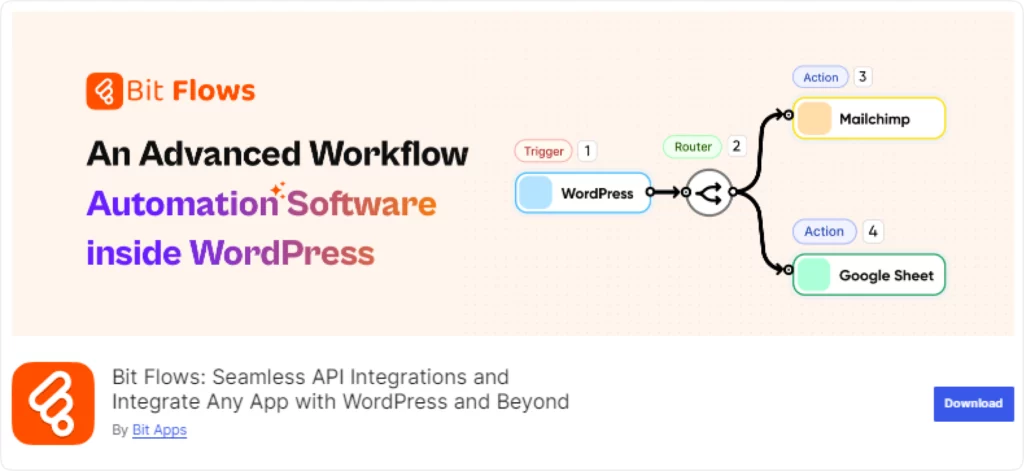
Bit Flows is the most advanced workflow automation plugin in WordPress. Many renowned WordPress experts claim that it is a perfect Zapier alternative for WordPress. Bit Flows allows you to create multi step workflows that connects multiple platforms within the same workflow.
It has an interactive visual canvas workflow builder, which makes it ideal for non-tech users. Its drag-and-drop interface and connecting lines are different from other plugins. Although Bit Flows is a WordPress plugin, it can connect maximum popular SaaS applications like Salesforce, Mailchimp, Hubspot, Shopify, and more inside the workflow.
Well, there’s so much to say about Bit Flows that it might take too long! So, I’ll quickly highlight its key features for you. However, if you’re keen to understand Bit Flows with examples, then feel free to check out our blog.
Best things about Bit Flows:
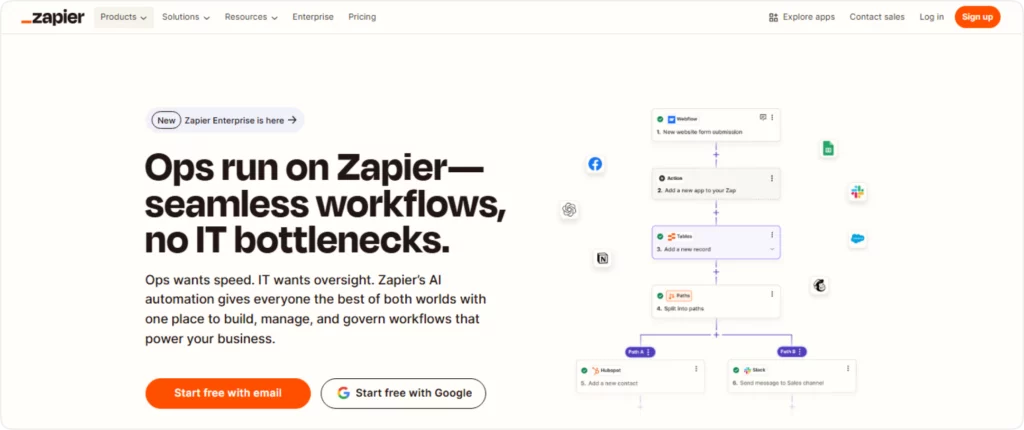
In the automation industry, Zapier is one of the oldest and popular no-code automation tools. It has been in the market for almost 13 years. It connects with more than 5,000 apps to automate complex workflows, reduce errors, and boost efficiency. Zapier’s easy-to-use interface makes it ideal for both small teams and large businesses.
Let’s look at some of the key features of Zapier.
Key Features of Zapier:
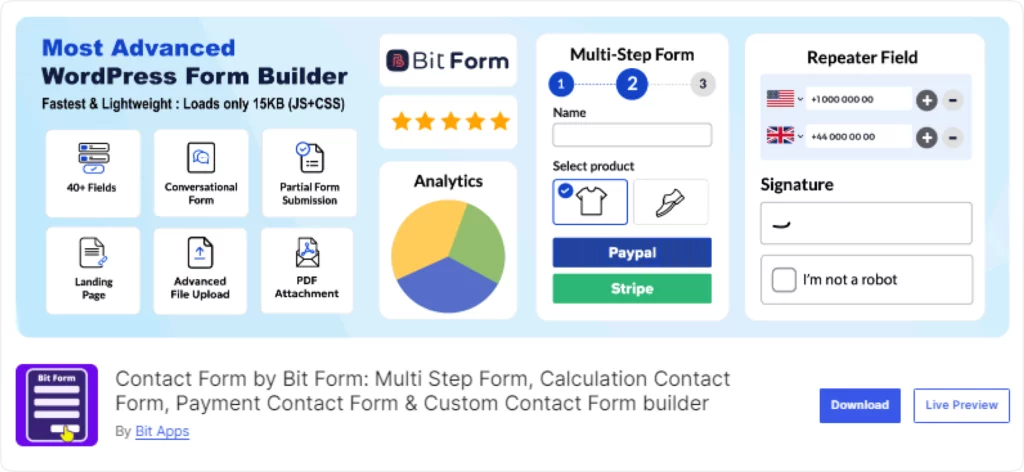
Bit Form, besides being the best WordPress form plugin, is also a fantastic lead generation and marketing automation solution. It comes with an intuitive drag-and-drop interface, powerful integrations, and dynamic features. With these advanced features, Bit Form helps businesses to create custom forms to collect leads and maximize conversion. Moreover, it has many other amazing features. Come have a look:
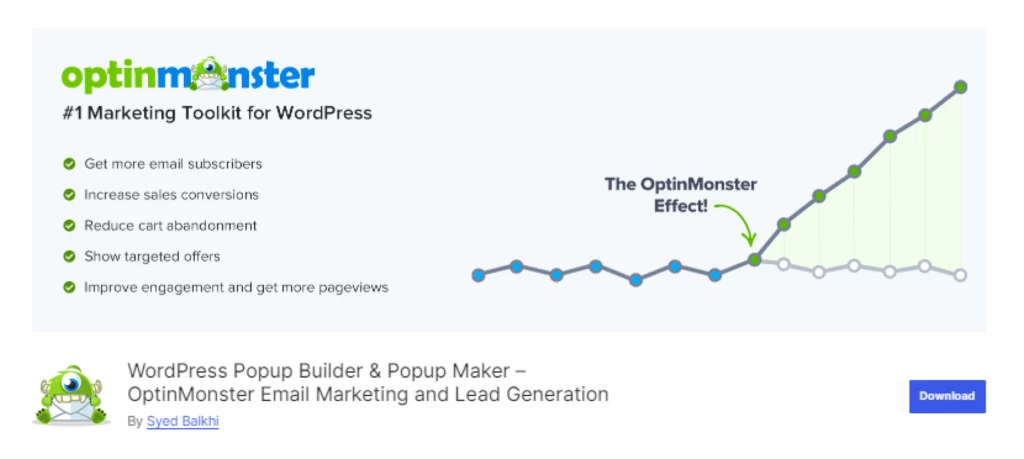
For businesses or startups that want to generate more leads from their business website, OptinMonster can be an effective tool. It is an amazing plugin for businesses that aim to convert visitors into buyers and subscribers through email marketing and list building.
The OptinMonster plugin integrates pop-up forms designed for lead generation and email subscriptions. Start by crafting your pop-ups utilizing the built-in editor. Customize your messaging and visuals to align with your brand.
Best things about OptinMonster :

To improve your WordPress site’s visibility and Google ranking, Rank Math is a trusted option. It is a versatile SEO plugin that helps to optimize your website with its SEO insights and rich snippets. Whether you’re a beginner or an expert, Rank Math’s beginner-friendly interface makes the setup process easier.
Best things about Rank Math:

Squirrly SEO is an advanced AI-based WordPress SEO plugin that makes SEO easy with its special AI-powered keyword research tools. They claim to be the very first WordPress SEO plugin to use artificial intelligence to optimize websites for search engine rankings.
Squirrly offers some unique and useful features like giving you real time tips to refine your content before you publish. Moreover, its SEO audit system informs you how your website is performing. In a nutshell, it is a complete SEO package. Here’s what makes Squirrly SEO stand out.
Best things about Squirrly:
While ActiveCampaign is not a WordPress plugin, but it offers a WordPress version called ActiveCampaign for WordPress. This plugin integrates its email marketing, automation, and CRM features with your WordPress site.
This WordPress CRM plugin aligns your website and your ActiveCampaign account and allows you to create custom forms such as subscription forms or lead generation forms, and automatically sends all the submissions to the ActiveCampaign account. This way, you can extend your email list and can classify each user based on their behavior and send them customized emails. It is a must-have for businesses that are looking to combine the power of WordPress with ActiveCampaign’s advanced marketing tools.
Best things about ActiveCampaign:

Salesforce is the most widely used and comprehensive CRM tool all over the world. It has been in the industry for a really long time. What makes Salesforce different from others is that it is used by professional business leaders who are striving to optimize their sales processes.
It is an all-in-one CRM software; with Salesforce, you can manage sales, contacts, marketing, customer service, and analytics. It can also effortlessly integrate with 1000+ third-party apps. Additionally, Salesforce’s cloud-based architecture makes sure anyone can access it from anywhere, making it ideal for remote users.
However, I personally recommend Salesforce to expert users and larger businesses as it is too complex and costly.
Best things about Salesforce:

Bit Social is one of the most easy-to-use and affordable social media automation plugins for WordPress users. It allows your WordPress posts to be shared on popular social media platforms like Facebook, Instagram, Discord, Telegram, Pinterest, and so on. With the help of Bit Social, you can maintain a consistent social media presence.
The best part of Bit Social is that it allows you to autopost or schedule your WooCommerce products to social platforms and spike your sales. Plus, there are no limitations on sharing. Great right!
Best things about Bit Social:

Blog2social is another popular and advanced social media automation plugin for WordPress. It also helps to integrate your WordPress site with your favorite social sites. Just like Bit Social, it also automates the process of posting and scheduling WordPress posts across multiple platforms.
Blog2Social integrates with more than 13 social channels. It has this amazing feature of customizing posts with comments, hashtags, emojis, etc.
Best things about Blog2Social:

Often, managing projects and interacting with different teams becomes chaotic. However, with the right project management tools, projects can be simplified and organized like never before. Yes! You guessed it right! WP project manager is such a tool.
This versatile WordPress project management tool helps teams to collaborate smoothly with its powerful features like Gantt charts, task automation, time tracking, and role-based access control.
Best things about WP Project Manager:

Airtable is the best option for marketing teams dealing with multiple projects. It allows users to create and combine databases and spreadsheets. So that team members can manage their workflows. Starting from product launching to planning a marketing campaign.
Moreover, Airtable includes an automation feature that enables the reduction of repetitive tasks like sending email notifications. Also, it provides many pre-built templates that can be used to schedule social media posts, plan blog posts, or even for recruitment. All these features make Airtable a solid investment for businesses looking to simplify operations.
Best things about Airtable:

According to users, this tiny little chat widget has made a massive transformation in how sellers communicate with their customers online. It effortlessly lets you connect all your favorite messaging channels like WhatsApp, Facebook Messenger, LinkedIn, Telegram, and more in one simple widget. Also, the setup process is quite simple; anyone can use it. Thus, if you’re looking for software to improve customer communication and boost engagement, then go for Bit Assist.
Best things about Airtable:
By now, you’re probably in a dilemma with so many options available! I know it must be quite difficult to choose the right one among all the fine tools. But nothing to fear at all; I’ve got your back! Let’s break it down based on specific needs (Also, I’ll mention my personal favorites):
Each of these tools has their own unique strengths, so the best choice depends on your unique goals. Whether you’re a blogger, marketer, or business owner, automation tools isn’t just for convenience, it can be your secret sauce! So start automating those tedious tasks with the right tool that aligns with your vision. And see your business transforming from ordinary to extraordinary.





 EN
EN  DE
DE  ES
ES  NL
NL  IT
IT