
Automation is no longer an option; it’s a must in today’s competitive business. Automation will save you time, eliminate mistakes made by people, and let you focus on what you want to do to grow your business.
A report from McKinsey & Company states that companies that use automation, experience an increase in productivity of up to 40%. Automation is revolutionizing industries across sectors, from marketing and sales to customer support and operations, making complex workflows easier and more efficient.
According to Salesforce, 67% of marketers use automation for their business. This leads to less hassle, more scalability, and better customer engagement for business owners, marketers, and solopreneurs.
In this article, I will discuss the top 7 workflow automation tools in 2026 and analyze what these tools are, how they work, and how they can make your work easier to improve efficiency. Let’s dive in and see how automation might change your business operations!
Workflow automation refers to the use of tools or software that make tasks happen automatically without the need for manual operation. This saves time, reduces errors, and frees up people to do more important work.
Imagine a business where you have to repeat the same tasks daily, such as checking emails, sending reports, posting on social media, or updating information. You don’t have to do it all by yourself. You can create a system that does those tasks for you. This system works according to the conditions you make, like when a new email comes in, it does a task for you, or when a report is ready, it sends it to the right person.
Save Time and Boost Productivity: Activities such as data entry, sending emails, and updating records are repetitive and can take up much of your time at work. Automation tools do these tasks rapidly, freeing up more of your time to work on strategy, creativity, or other important parts of your business.
For example, a small business owner might spend many hours each week checking on customer questions. An automation tool can send personalized follow-up emails for you, making responses quicker and saving a lot of time.
Reduce Human Error: Even the most conscientious employee will make mistakes if the task involves repeating simple tasks over and over. Automation ensures there are no errors, reduced steps, or forgotten follow-ups, your work will always be consistent and accurate.
Improve Customer Experience: Automation helps you provide a quick and personal response straight away. Customers love immediately getting confirmation emails after buying a product or instant responses. All these tools make them happy and bring them back for more.
Increase Teams Efficiency: From marketing to sales to customer service, every team benefits from automation. For example:
Improve Data Organization: Automate data-entry tasks to keep your records clean and organized. Whether it is moving information from one application to another or updating a contact’s details across platforms, these tools ensure databases are always up-to-date and accurate.
Here are some common uses of the workflow automation example:
Explore the top workflow automation tools in 2026, organized by type and use. Whether for marketing, workflows, customer support, or data, find tools to boost productivity and simplify your business operations.

Bit Flows is the most advanced multi-step workflow automation tool. Bit Flows can connect multiple apps/tools in one workflow. For example, you can create a workflow that sends your form data to Google Sheets, and within the same workflow, you can send an email or send the data to your Slack channel. Bit Flows has a modern and attractive visual canvas flow builder. It lets you create flows by dragging and dropping apps and tools and connecting them with lines.
Bit Flows is a WordPress plugin, but it’s much more than that. You can connect WordPress plugins as well as the most popular SaaS platforms, such as Shopify, Mailchimp, Salesforce, JotForm, and many more. If you’re not a WordPress user, don’t worry! You can still use Bit Flows by installing it on a subdomain.
You can create automated workflows called “Flows” using its simple interface to connect all those tools: Gmail, Slack, Trello, Salesforce, and so on. It integrates with over hundreds of apps, helping individuals and businesses save time and work more efficiently. There is no limit on Bit Flows. You can create unlimited flows and run unlimited executions!
Bit Flows includes powerful tools such as a router, repeater, delay, conditions, and iterator. By using these tools, you can make your workflow more functional and save time. In Bit Flows, you can filter your flows with tags. You can create multiple tags and add related flows to each tag. It’s like having flows in specific folders.
Bit Flows also has webhooks, so you can add as many integrations as you need that support webhooks. Bit Flows supports custom apps to maximize your connection functionalities. You can create your own app by adding custom actions and triggers without writing a single line of code! If you are looking for automation tools like Zapier, or automation tools like Make, then Bit Flows would be the best alternative for you.
| Plan | 1 Site | 5 Sites | 50 Sites | 100 Sites |
| Lifetime (LTD) | $199/lifetime | $299/lifetime | $399/lifetime | $699/lifetime |

Mailchimp is a very popular email marketing platform. It’s easy to use and has strong automation. Although it’s mainly designed for email marketing, it grew into a whole marketing platform catering to all types of businesses. Whether you have a small business site or a big company website, you can handle all your email automation with Mailchimp. Mailchimp helps you communicate better with your audience and increases engagement by bringing in traffic and sales. You don’t need technical skills to use Mailchimp.
As an automation tool, Mailchimp allows you to set up workflows that save you time, create personal interactions, and ensure that the right message reaches the right people at the right time. Undoubtedly, Mailchimp is one of the leading options for email marketers across the world.
| Plan | Essentials | Standard | Premium |
| Monthly | $13 USD for 500 contacts | $20 USD for 500 contacts | $350 USD for 10,000 contacts |

One of the more established no-code tools is Zapier. It integrates more than 5,000 apps, helping individuals and businesses save time and work more efficiently.
You can create automated workflows called “Zaps” using its simple interface to connect all those tools together: Gmail, Slack, Trello, Salesforce, and so on.
Useful for sending alerts, handling leads, syncing information, and sharing content across different platforms. Zapier works well for both small teams and big companies and focuses on ease-of-use, step-by-step processes to minimize manual work and reduce errors.
With thousands of pre-built templates and customizable options, Zapier makes automation fast, effective, and accessible to everyone.
| Plan | Professional | Team |
| Monthly | $ 129USD/ 10,000 tasks | $169USD / 10,000 tasks |
Looking for an affordable Zapier alternative? Check out how Bit Flows helps you save a huge amount on automation and gives you stress-free automation experiences.

Notion is a connected workspace that is designed to get your notes, documents, project managing tools, and even wikis all on one page.
It’s like a blank canvas that allows you to build workflows specific to your needs. With Notion, you can create task boards, company knowledge bases, project roadmaps, and many more. It’s collaborative, intuitive, and very powerful once you start to get into what it can do.
But what exactly makes Notion so special? The reason for this is its clean simplicity paired with powerful functionality, along with a helper for automating workflows.
| Plan | Plus | Business |
| Monthly | $12 per seat | $18 per seat |
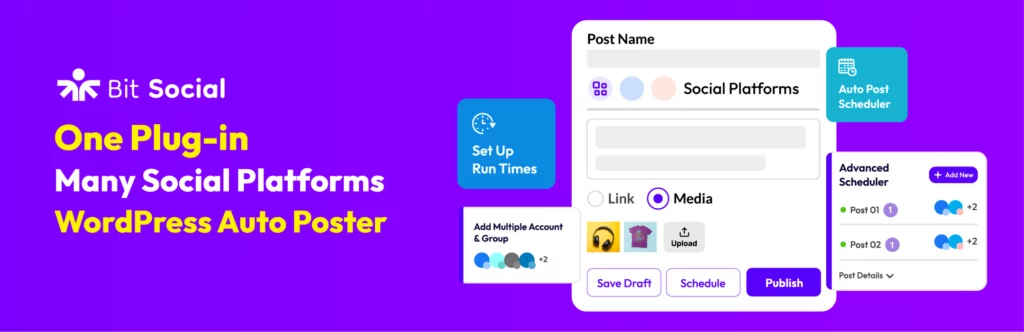
Bit Social is a social media automation tool for your WordPress site. It helps websites to increase social media presence. This plugin allows you to automatically publish your WordPress posts with an advanced scheduling feature. It supports many social platforms, including Facebook, Twitter, Instagram, LinkedIn, Tumblr, Pinterest, Discord, and Google My Business.
You can share your WordPress posts instantly or schedule them for later. You can add unlimited social account connections. So there is no limit! Also, you can enable scheduled or auto-post WooCommerce products to social media. It will increase your sales!
| Plan | Single Site | Agency LTD |
| Lifetime (LTD) | $99 for 1 site | $174/Unlimited sites |

Microsoft Power Automate is powerful and easy to use, especially for automating processes. Businesses are helped through the simplification of work because of the automation of repeated tasks. Whether you’re managing approvals, sending notifications, or keeping data in sync between different apps, Power Automate enables you to do all that and more without necessarily knowing much about coding. Being part of the Microsoft Power Platform, it plays nicely with all Microsoft services: Office 365, SharePoint, Teams, etc., and not just Microsoft, but other companies’ apps too.
With Power Automate, organizations save time, reduce errors, and better collaborate. Create workflows that connect apps, automate actions on their own, and smooth out processes while users can focus on significant tasks instead of doing the same handwork repeatedly.
| Plan | Premium | Process |
| Monthly | $15.00 | $150 |

Zoho CRM is a powerful system that caters to all business needs to streamline sales, marketing, and customer support processes better. Bringing in many automation tools will help the business improve its efficiency while nurturing customer relationships to drive sales growth. Be it a small business or an enterprise, Zoho CRM has tailor-made solutions for you. It can even help in task automation, saving the business time to spend on its main objective: building good customer relations.
Zoho CRM integrates well with most Zoho applications and many other tools from third-party companies. That is why it is a suitable choice for businesses looking to make work easier. Using Zoho CRM, you can automate tasks done regularly, create customized workflows, and analyze customer data to make better decisions.
| Plan | Premium | Process |
| Monthly | $15.00 | $150 |
With these tools, you can automate all those in-minute, routine tasks that you do daily, like checking emails, updating social media, or sending invoices. That’s how powerful automation can be. Today, it is no longer an added advantage in businesses, it is a must if you want to be ahead of the pack.
If you are wondering whether to start using these tools, the answer is yes!
The tools are made to make your life easier, whether you work alone or lead a large team. Use automation, and you will soon notice how it saves you time, increases your productivity, and helps your business grow with less stress.
In short, automation is having an extra pair of hands that never tire. It’s not about working harder, it’s about working smarter. And believe me, once you start, you will ask yourself how you did these before without it!






 EN
EN  DE
DE  ES
ES  NL
NL  IT
IT