Many businesses need to automate workflows without skyrocketing costs. Traditional tools like Zapier charge per task, which can double or triple your bill as you scale.
This post quickly explains how task billing works against growth. We then list key features to look for in fixed-cost automators and compare affordable automation tools.
You’ll see examples and expert tips on choosing a tool that fits your budget. Let’s jump to answers: you can avoid task billing with self-hosted or flat-rate tools that offer unlimited tasks.
Paying per action punishes your success. As automation runs grow, costs rise unpredictably. A single high-volume workflow can exceed your plan’s task limit, forcing expensive upgrades. In effect, it’s a tax on your own success.
Businesses often find their Zapier bills spike as their operations grow. This makes budgeting hard and encourages workarounds just to limit tasks. The more you automate, the more you pay; it is outrageously expensive and feels like a penalty for growth.
Per-task billing may make sense initially, but most growing teams hit a wall. As one blogger noted, moving to a self-hosted tool cut a $1,500/year Zapier bill down to about $60 for hosting. To avoid this, look for tools with flat-rate or free unlimited plans where costs do not explode with usage.
📝 Find out the best Zapier alternative for your WordPress site.
Self-hosted automation tools give you full control and predictable costs. Instead of renting in the cloud by tasks, you install the software on your own server, like your WordPress site.
This removes hidden fees; there’s no per-task meter running. You pay once or a flat fee, then run unlimited flows. In short, your cost does not grow with usage.
Self-hosted automation is simply run-and-forget once set up. You aren’t billed extra for triggers, routers, or internal steps. This model is common with open-source or one-time purchase tools.
Self-hosted means no recurring fees, unlimited automations, and full data control. Of course, you manage server upkeep and installation, but that is often a small price for predictable costs.
High-authority sources confirm the shift: traditional SaaS cloud software mostly uses subscriptions or usage fees. In contrast, a self-hosted model is like old-school software with one-time licenses.
Self-hosted tools offer that interface but let you own the instance. For teams worried about data privacy or locked-in costs, the self-hosted path can be ideal.
💡Explore the differences between self-hosted vs. cloud automation tools.
When choosing an affordable, fixed-cost automation tool, look for:
The key is predictable costs and good functionality. Tools that meet these criteria break away from the “pay per task” trap.
💡Explore some high ROI automation ideas for your business.
Here’s a breakdown of the best affordable tools that offer fixed pricing and let you automate without worrying about escalating costs.
| Tool | Pricing Starts | Task Limits | Self-Hosted? |
|---|---|---|---|
| Bit Flows | $119/year, $239 for lifetime | Unlimited workflows & tasks | Yes (WordPress) |
| n8n (Community) | Cloud pricing starts $240/year | Unlimited workflows | Yes |
| Pabbly Connect | $194/year (tasks limited) | Unlimited tasks on higher plans | No (Cloud only) |
| Bit Integrations | $39/year, $99 for lifetime | Unlimited | Yes (WordPress) |
| Activepieces | $300/year (fair use policy) | Unlimited under fair use on plan | Yes |
Now that we’ve covered the key features to look for in fixed-cost automation tools, let’s dive into the best options available. Each of these tools offers unique benefits to help your business scale without breaking the bank.
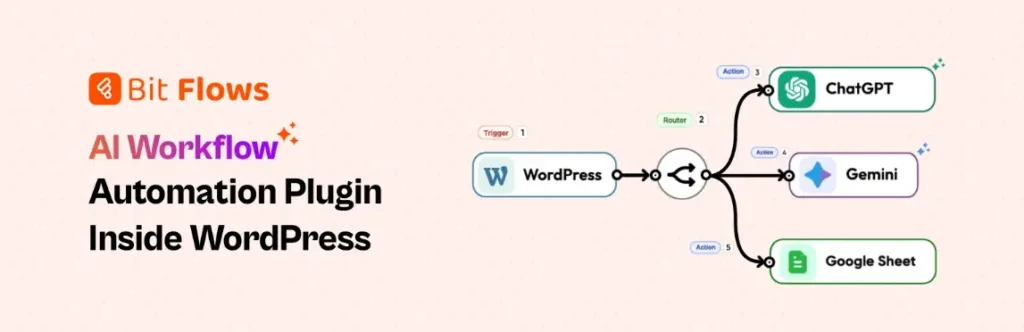
Bit Flows is a WordPress-based automator with a focus on AI-powered, multi-step workflows. It lets you visually connect plugins and external apps on your own site. Setup is simple: install the plugin and use the drag-and-drop canvas to create flows with triggers like form submissions or orders and actions like sending emails, updating databases, or calling AI APIs.
Bit Flows charges a one-time fee and an annual subscription for full access. There are no usage limits. This makes it affordable: you pay once and then run unlimited automations.
It’s great for content sites and e-commerce: for example, automatically summarizing blog posts with AI after publication or generating product descriptions via Deepseek/Claude when a new WooCommerce item is added.
n8n is an open-source, no-code workflow tool ideal for technical teams and privacy-conscious users. You can self-host it for free (community edition) or use their cloud plans. The self-hosted version lets you run unlimited workflows and steps as long as you supply the hosting.
It features a node-based visual builder with branching (if/switch nodes) for conditional logic. Use cases include data ETL, CRM syncing, or AI pipelines. However, keep in mind that the self-hosted setup is technical and requires server management skills. If you need a simpler solution without the complexity, consider looking into the best n8n alternatives listed here.
Pabbly Connect is a cloud automation tool that emphasizes unlimited tasks for a flat fee. Its biggest selling point is unlimited tasks on higher plans. In practice, Pabbly does not count trigger checks or internal steps (filters, routers) as tasks.
On higher-tier plans (Pro or Unlimited), you get truly unlimited monthly tasks. Even the free plan gives 100 tasks/month plus unlimited triggers, filters, routers, webhooks, etc. Pabbly has 2000+ app integrations and supports multi-step flows.
It uses a familiar Zapier-like interface, so it’s easy for non-devs. Pabbly often runs a lifetime deal promotion as well. It’s a great budget pick if you don’t need self-hosting.
💡Impressed with Pabbly Connect? Let’s explore some more Pabbly Connect alternatives.
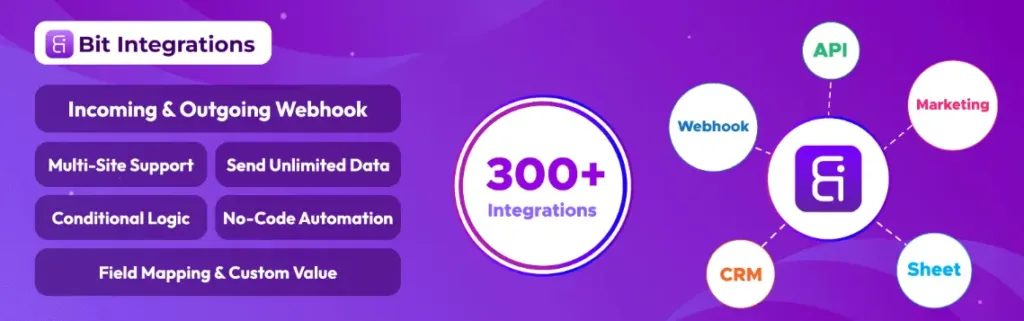
Bit Integrations is a WordPress plugin that connects your site’s data to 300+ external platforms. It focuses on moving WordPress data (WooCommerce orders, form entries, page builder events, etc.) to CRMs, Google Sheets, email tools, and more, all automatically and without coding.
Its key feature is unlimited data transfers; there are no hidden usage limits on how many records you send. This makes it affordable and predictable. The plugin provides a simple 3-step setup: pick a trigger (like a new form submission), choose an action (send to Google Sheets or MailChimp), map fields, and activate.
It also has conditional logic, custom PHP triggers, and support for multisite setups. For WordPress-centric businesses needing straightforward data sync without extra fees, Bit Integrations is a solid choice.

Activepieces is an open-source automation platform with AI-native features. Like n8n, it can be self-hosted (free, Community Edition) or used on their cloud. It stands out for its AI Agents, automated helpers that “think” about the data before acting.
For example, an AI agent can analyze support tickets, triage requests, summarize content, or fill out sales CRM records autonomously. Aside from AI, Activepieces has a standard workflow builder with 421+ integrations (AI models, Slack, databases, etc.).
You get features like a built-in table (database), human-in-loop approvals, and an AI-assisted copilot. Importantly, Activepieces also avoids per-task fees: you get unlimited runs under fair use on paid plans. A mid-tier plan costs about $25/mo for many flows.
This makes Activepieces “predictable for small teams and enterprises alike.” Use it to build smart workflows in marketing, support, or sales that leverage AI without paying per action.
Consider a small e-commerce shop automating order tasks. On Zapier’s Professional plan, 2,000 tasks cost $74/month. If the shop handles 200 orders a day with multi-step workflows (CRM update, email, inventory), that’s over 6,000 tasks per month, roughly $222 on Zapier.
In contrast, Bit Flows or Bit Integrations on WordPress would handle this at a fixed cost. Even if Bit Flows costs $199 once, it’s like only $8/month over two years versus $222 monthly on Zapier.
Think of n8n on a $5 VPS. A user reports moving workflows off Zapier (which costs $1500/year) to a $5/mo server for n8n, cutting costs to ~$60/year. Even large automation volumes can often be handled by inexpensive hosting.
These real-world cases show how fixed-cost models keep budgets in check. When teams outgrow free tiers, choosing a flat-rate tool or server can lead to huge savings.
Here are some typical use cases that show how these tools help businesses:
These examples illustrate that once you build a workflow, you can run it on autopilot. And with fixed-cost tools, each run comes at zero marginal cost.
Affordable automation is within reach with the right tools. By choosing platforms that avoid per-task billing, you gain predictability and control.
Self-hosted and flat-rate tools like Bit Flows, n8n, Pabbly Connect, Bit Integrations, and Activepieces let businesses run unlimited workflows for a fixed cost. This helps you scale faster, without worrying about surprise bills.
To recap, look for automation software that offers unlimited tasks or flat fees, and supports the key features your team needs. Evaluate your workflows today: if task costs are rising, switching to a fixed-cost model can save thousands in the long run.
With these affordable automation tools, you automate more, grow faster, and avoid the per-task charges as your business succeeds.
The best affordable automation tools include Bit Flows, n8n, Pabbly Connect, Bit Integrations, and Activepieces. These tools offer flat-rate or self-hosted pricing, helping businesses avoid unpredictable task billing.
Self-hosted automation tools like Bit Flows and n8n let you run unlimited workflows without paying per task. This eliminates surprise costs, providing more control and predictable pricing.
Look for tools with unlimited tasks, flat pricing, no hidden fees, a visual builder, and scalability. These features ensure your automation grows without escalating costs.
Flat-rate automation tools offer fixed pricing, allowing unlimited tasks without extra charges. Unlike task-based billing, they avoid surprise bills and help businesses scale predictably.
Yes, small businesses can save significantly by switching to fixed-cost automation tools. Tools like Bit Integrations and Bit Flows help automate workflows without increasing costs as business volume grows.
Switching to fixed-cost tools like Bit Flows or n8n can drastically reduce costs, especially for high-volume workflows. It’s a smart move to control your budget and scale your business efficiently.
Bit Flows offers unlimited workflows, no per-task fees, and seamless integration with WordPress. It’s ideal for businesses looking for an affordable, scalable automation solution.






 EN
EN  DE
DE  ES
ES  NL
NL  IT
IT