
Are you looking for an automation tool that is as strong as Zapier but affordable and simpler to customize?
Automation has truly transformed how businesses operate. It simplifies your work, reduces errors, and truly, makes life simpler. But one automation solution is not going to be fit for everybody. Maybe you’ve found Zapier to be too complex, too limited, or simply too expensive.
That’s why there are alternatives to Zapier. These Zapier alternatives offer you flexibility, unlimited automation, no-code tools, simple designs, and powerful features for growing businesses. In this article, I’ll discuss some of the best alternatives to Zapier and share my opinions and real experiences to help you choose the right tool for your needs.
I remember when I first started exploring automation, I was excited to save hours each week, but that excitement quickly turned to frustration. I hit Zapier’s task limits and struggled with building advanced workflows that needed time to configure.
Zapier is very powerful, but it can also become expensive very quickly, especially as your business grows or your requirements get more complex. You might have had a similar experience, a good start that quickly hits limitations. In Zapier:
Expenses can rise rapidly: Zapier charges you based on how many tasks you automate. The more you automate, the more it will cost you. As your business grows, you might have to pay for higher-priced plans, and those can get expensive in the long run.
Data Security and Storage Challenges: Zapier keeps data on its own servers. While Zapier follows data protection laws, yet some businesses may want to have control over their data, especially for sensitive data.
Error Handling: Zapier’s error handling is straightforward, and if anything goes wrong, you may require assistance from a technical person. Easy issues are simpler to resolve, but complex ones can require more effort, particularly on lower-priced plans.

Now let’s explore some best Zapier alternatives for your business. We will explore some alternatives and their features. And then we will help you to choose the best one for your business.
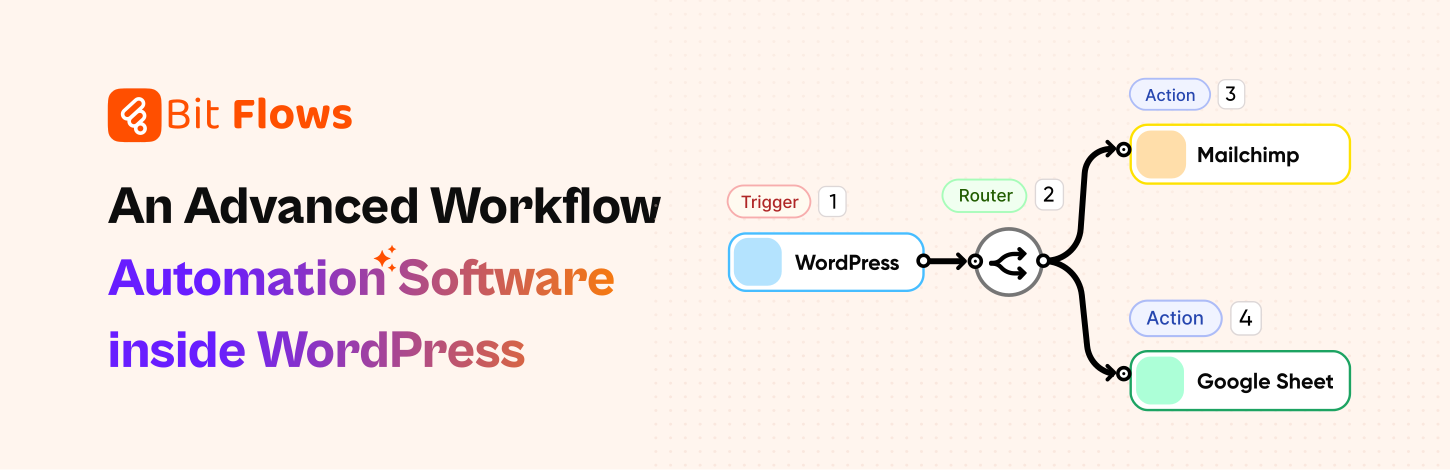
Bit Flows is the perfect Zapier alternative, especially for those who are seeking unlimited automation without additional costs or limitations. Bit Flows offers a lifetime deal with unlimited workflows and unlimited tasks. Meaning that you won’t be paying more as your business grows.
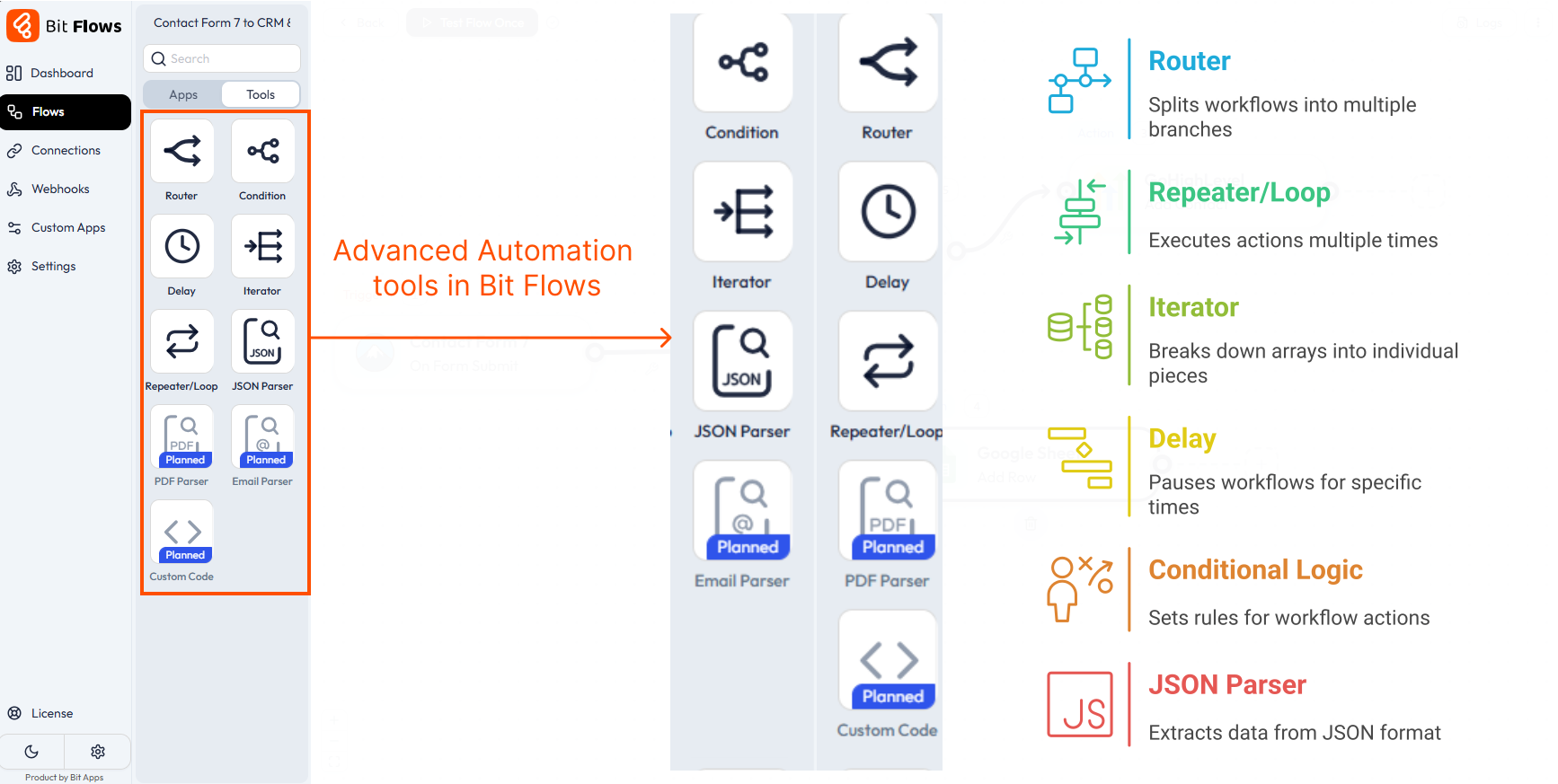
With its drag-and-drop visual workflow builder that’s, Bit Flows makes automation accessible, without having to write code. You can create basic to advanced workflows with a drag-and-drop canvas builder, including hundreds of applications, such as WordPress plugins, SaaS tools, social media platforms, CRMs, and many more. The platform also includes advanced automation features like routers, repeaters, iterators, delay, iterator, JSON Parser, and more. Providing you with full control to automate even the most complex tasks.
A standout feature is Bit Flows’ powerful webhook and API integration. If you need any custom integrations, you can build them by using custom app features in a few clicks and without a single line of code. You could even have the peace of mind that comes with your data being stored on your servers, and you have total control of your data.
For companies requiring a low-cost, yet powerful and easy-to-use automation tool with limitless possibilities. Bit Flows is the unbeatable choice as an unlimited Zapier alternative. It is built to expand along with your business without sky-high fees, and the ease of use and broad set of features provided make it the leading choice for any advanced automation.
⚡ Bit Flows offers unlimited workflows and tasks even in its free version. Yes, totally free! You can send data from Contact Form 7 to Mailchimp without spending a penny. No limits, no restrictions. It’s a powerful free alternative to Zapier. Works free with triggers like Bit Form, Contact Form 7, Elementor Form. Start automating for free with Bit Flows!

Make (recently rebranded from Integromat) is a very powerful Zapier.com alternative for both individuals and businesses. It’s a visual automation platform. You can build workflows with triggers and actions (called “modules” or “operations”) that are nodes, and lines connect them. Its big strength is flexibility and automation depth.
Make is an excellent Zapier.com alternative that provides advanced automation for businesses of any size. It allows for a simple interface and flexible workflow building, making it easy for you to connect apps, automate workflows, and create complex configurations code-free.
It integrates with thousands of popular apps and services, making it a perfect choice for marketers, developers, and teams who want more control over automation. Make is different from Zapier in that it allows branching logic, live error handling, and the ability to create custom API connections. The pricing is also better, with great free and paid plans.
If you’re looking for a powerful, visual automation platform that you can customize and scale cost-effectively, Make is a great option. From syncing data between platforms to automating business processes, Make provides solid automation with ease.

If you’ve ever felt limited by pricey automation tools as your business grows, Pabbly Connect might just be your lifeline. It’s an excellent Zapier alternative, especially for small teams, freelancers, and marketers who want flexibility without high monthly fees. One of its greatest attractions? A lifetime plan with unlimited tasks is a real game-changer.
Pabbly does not count tasks for certain internal actions. Triggers (the events that start a workflow) are free, and built-in tools like filters, routers, and formatters don’t use up your task count. This means you can build a multi-step workflow with many internal logic modules, and only “pay” for the real actions (like sending an email or updating a database).
With Pabbly Connect, setting up automated workflows between applications like Google Sheets, Mailchimp, or WooCommerce is easy, even for those who are not technically advanced. The system provides convenient features like filters, conditional logic, and scheduling that help you customize your automation in the way you desire. It also integrates a webhook and API for building stable, customized connections.
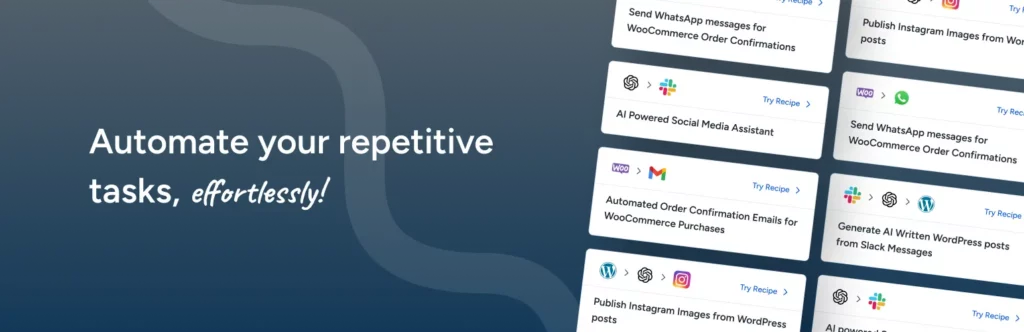
SureTriggers (formerly called SureTriggers) is an automation tool like Zapier that serves perfectly as an alternative to Zapier. It was created by the same company that made SureCart and Astra. It is great for creators, agencies, and online businesses. What is special about SureTriggers is the way it easily integrates with WordPress plugins, WooCommerce, and tools like LearnDash, Elementor, and FluentCRM right out of the box.
Its interface is intuitive and makes it easy to create workflows, making it very easy for new users. You can automate tasks across different apps, add conditions and filters, and use webhooks or API calls for more advanced setups.
Since it’s built for the WordPress community, it feels more natural for those already working in that ecosystem. So, if you’re in the market for an automation tool with good WordPress integration, SureTriggers is worth a look.

n8n stands out as an open-source, developer-friendly automation platform. You can self-host n8n on your own server (or use their cloud service). This gives you ultimate control. A big plus for teams and companies that are sensitive about data privacy. n8n is a great option for developers and technically advanced users who want full control over their workflows.
What makes n8n unique is its flexibility. You can connect more than 300 applications, design advanced workflows with conditions, loops, and multiple paths, and even write custom JavaScript functions right within the editor.
The graphical workflow designer makes it easy to map out even the most advanced automation. It takes time to learn, but the reward is high flexibility and growth. If you need a powerful tool and control without spending much like you would with Zapier, n8n is an excellent choice for you.
If you’ve been working with Zapier and have found that it does not really do what you want it to do, or you just want to try a different automation platform, Bit Flows might be the tool you want. In this comparison, we’ll outline the pros of both Zapier and Bit Flows so you can understand why Bit Flows is the superior choice for unlimited automation for most companies.
When it comes to no-code automation, Bit Flows and Zapier are two of the leading tools. Both let you connect apps and automate tasks, but they work in very different ways. We will highlight how Bit Flows offers unlimited tasks and workflows, affordable pricing, and powerful tools, while still giving an honest look at both tools.
To make it easy to see the differences, here’s a quick comparison table of key features:
| Feature | Bit Flows | Zapier |
| Workflow Steps | Unlimited multi-step workflows | Free plan Zaps limited to 2 steps; paid plans allow unlimited steps |
| Tasks (Action Units) | Unlimited tasks on all paid plans | Free plan 100 tasks/mo; paid plans have monthly task quotas |
| Workflows/Zaps | Unlimited workflows (can run as many flows as you want) | Unlimited Zaps (workflows), but has tasks limit |
| Pricing Model | One-time license or annual subscription | Monthly subscription plan |
| Hosting | Self-hosted | Cloud-based |
| Integrations | ~170+ built-in apps; custom app builder and webhooks for APIs | 8,000+ apps supported |
| Automation Tools | Built-in router (branching), repeater/loop, delay, iterator, JSON parser | Supports Paths (routing), Looping by Zapier, Delay, Formatter, etc. |
| UI/Builder | Visual drag-and-drop canvas flow builder | Visual step-by-step Zap editor |
| Logs & Debugging | Advanced logs with details and re-execution ability | Zap history with logs of each Zap run |
| Custom App/API | Built-in custom app builder to create your own connectors | Free plan Zaps are limited to 2 steps; paid plans allow unlimited steps |
| Lifetime Deal | Yes. one-time payment for lifetime access | No. only recurring plans |
Each row above highlights a key point. Below, we’ll discuss the most important differences in detail.
A standout feature of Bit Flows is that it does not limit the number of tasks or workflows you can run. All paid Bit Flows plans include “Unlimited Tasks” and “Unlimited Workflows”. This means you can create as many multi-step workflows as you like, and each workflow can perform as many actions as needed. You never have to worry about an allowance or overage fees.
Zapier is tiered by task limits. Its Free plan allows only 100 tasks per month. Those tasks can only come in 2-step Zaps (trigger + one action). To run more steps or more tasks, you must upgrade. For example, the Professional plan (starting at $19.99/mo when billed annually) allows unlimited steps in a Zap, but you still get a fixed number of tasks per month (Only 750 tasks at the $19.99 tier, with higher tiers offering more). If you reach your task limit, your Zaps stop running until the next billing cycle or you buy more tasks.
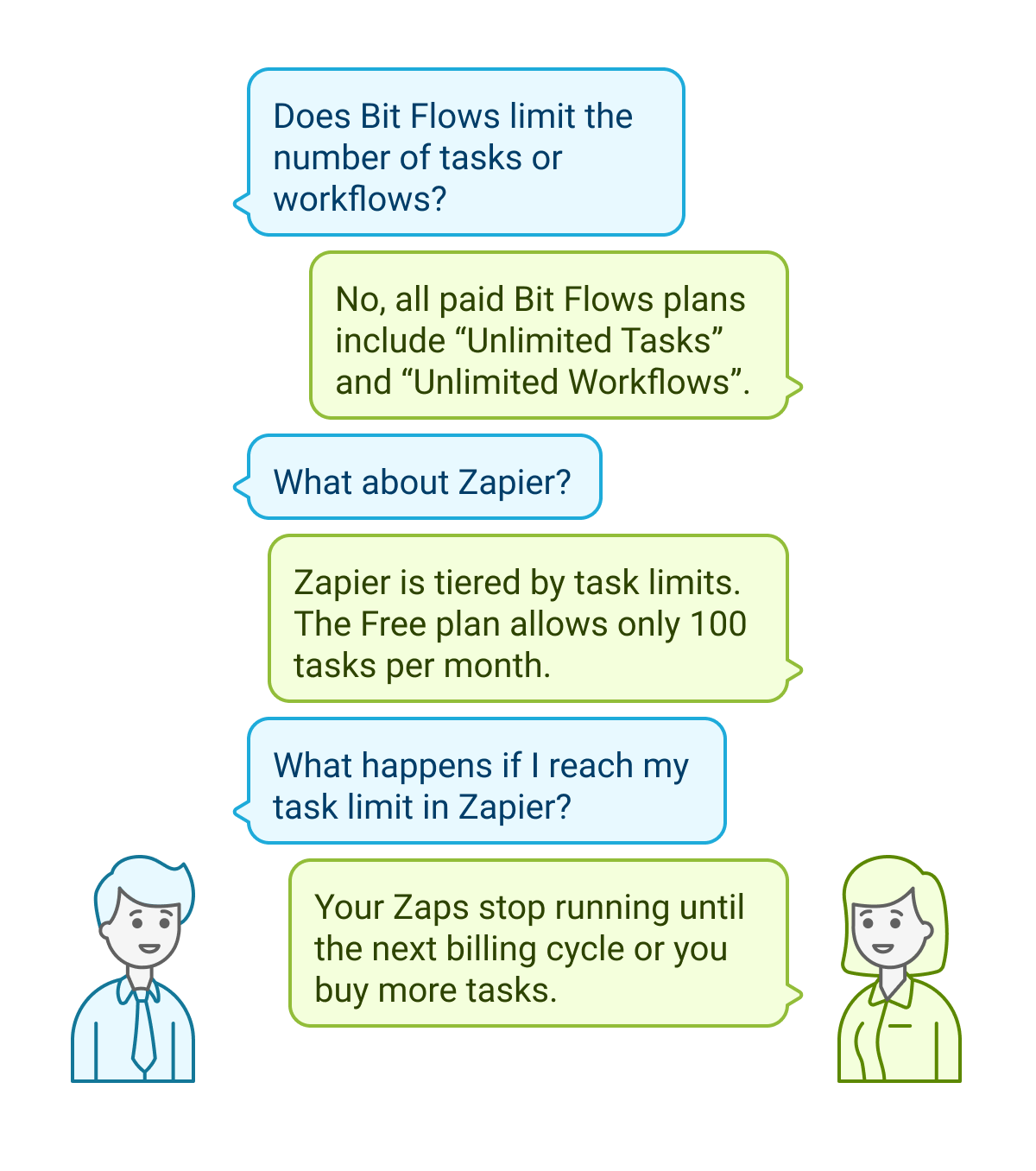
Bit Flows gives you unmetered automation capacity. Zapier gives you automation capacity limits by your plan. This makes Bit Flows very attractive if you have many data transfers or actions to run, as you won’t need extra cost per action.
Both platforms let you build multi-step automations, but the user experience differs. Bit Flows is designed to easily build multi-step workflows. Its drag-and-drop canvas shows all tools at once, and you can add routers/branches for different paths. For example, you could have one trigger and then ten actions that happen sequentially or conditionally. There is no extra charge to add steps in Bit Flows.

Zapier also supports multi-step Zaps, but only on paid plans. The free tier is limited to 2-step Zaps (one trigger + one action). With the Professional plan or higher, you can create Zaps with many steps. You can use the Router in Bit Flows to have multi-step workflows. Zapier calls that feature “Paths”. Functionally, they are similar: both let one workflow trigger multiple different branches of actions.
Zapier’s huge library of 8,000+ apps is a major strength. Virtually any popular online service (CRM, email, storage, payment processors, etc.) is already pre-built as a Zapier integration. This means you can often connect the exact apps you use.
Bit Flows currently supports around 170+ native integrations. These cover many common services (WordPress forms, email tools, CRMs, Google Sheets, Shopify, etc.) and WordPress-specific plugins. The list is more limited than Zapier’s at the moment.

However, Bit Flows offers the Custom App Builder and full API/webhook support. With this, you can connect to any service that has an API, even if it’s not naively listed. For example, you could add a Bit Flows custom app to a custom internal tool or a niche SaaS by configuring the API endpoints. Zapier also offers a developer platform to build custom apps, but it requires a learning curve and uploading your app to their system.
So if you rely on very obscure tools, Zapier is likely to already have them. If your needs are WordPress-centric or common SaaS apps, Bit Flows’ built-in connectors plus webhooks will handle it. It’s worth noting that Bit Flows is new and will likely add more integrations over time. But today, Zapier wins on sheer quantity of apps. Bit Flows wins on the easy and quick ability to build custom connectors within the tool.
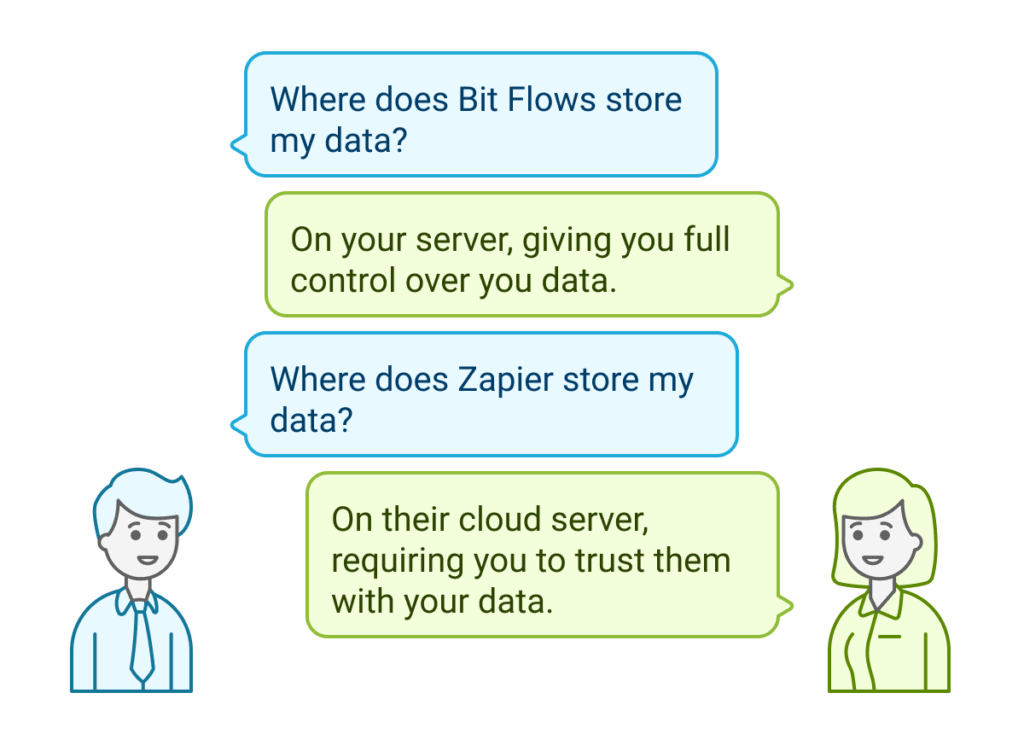
Since Bit Flows is a WordPress plugin, it is self-hosted on your WordPress site. So all of your data stays on your server, which is important for security or compliance. You also have full control over the environment and can run unlimited automations. Being a self-hosted plugin, Bit Flows offers a great feature called “External Crons”, which gives you uninterrupted executions.
Zapier, being cloud-based, does not depend on your server. It keeps your data on their cloud server. You can run automation 24/7 without worrying about your own website’s uptime. But you do have to trust Zapier with your data.
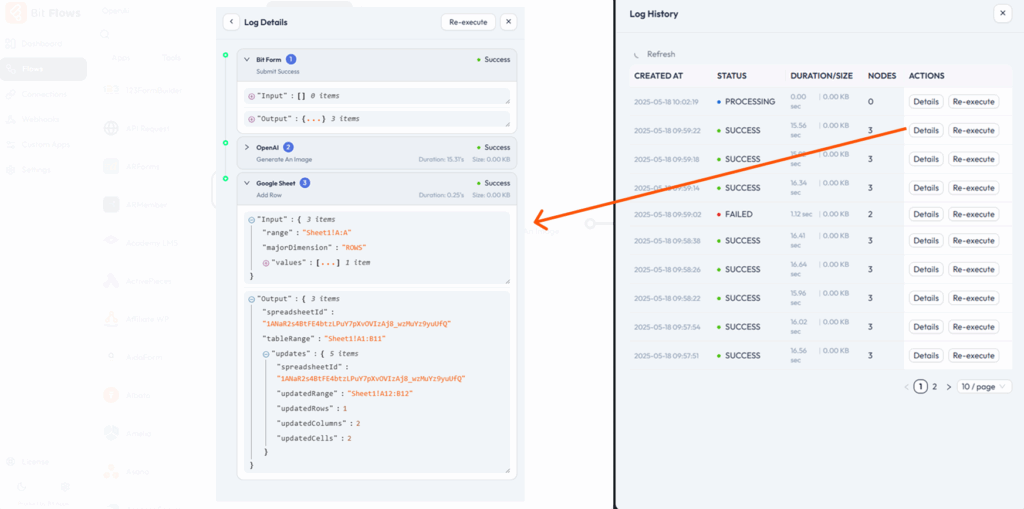
Monitoring & Logs: Bit Flows keeps logs of each workflow execution. You can see the execution status, such as success, process, partial success, or failure, and get details about the executions. Also, you can re-execute any tasks if needed. This is important for troubleshooting. Zapier also keeps a history of each Zap run in your account with details of each task.
Support: Bit Flows offers dedicated support and updates.. Since it’s a smaller product, support may be more personalized. Zapier has well-documented help articles, community forums, and email chat support (live chat on higher tiers). Zapier is a large company, so support is professional but possibly less personalized.
Both platforms offer advanced workflow tools. Important tools in Bit Flows include:
Bit Flows runs on your WordPress site, so all of your data stays on your own server. You have full control, and your data is not shared with external servers (except when connecting to external APIs).
Zapier handles security on its end. They are SOC 2 compliant. But your data does pass through Zapier’s servers. There is no self-hosted option for Zapier.
🔒 Find out how safe Bit Flows is and learn about its security, privacy, and GDPR compliance.
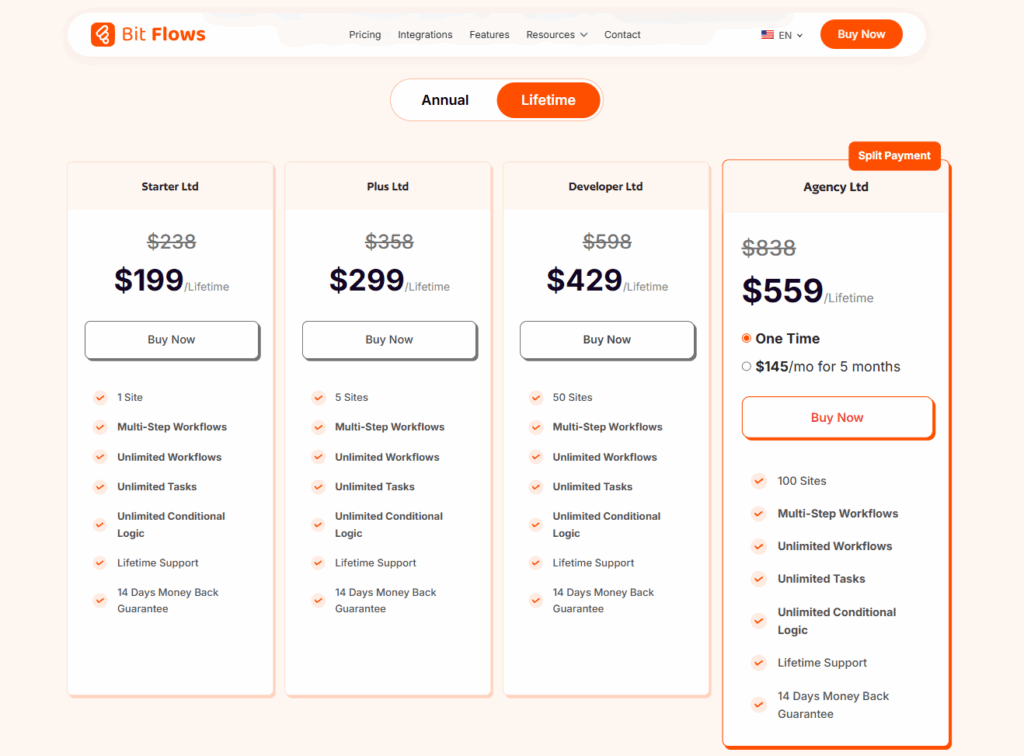
Bit Flows uses a one-time and annual license model. You pay once for lifetime access and get lifetime support. The entry-level Starter license is $199 (for 1 site). This gives you all core features (multi-step workflows, unlimited tasks, conditional logic, etc.) forever on that site. The higher tiers (Plus, Developer, and Agency) cover more sites (5, 50, or 100 sites) for $429, $399, and $559, respectively. These are all lifetime LTD plans. If you are looking for an alternative to Zapier with very affordable pricing, Bit Flows is the perfect choice as an automation tool lifetime deal.
Zapier’s pricing is recurring. There’s a Free tier (100 tasks/month), then paid plans that are billed monthly or yearly. The Professional plan is $129/month (billed annually) for 10K tasks. This includes unlimited steps and premium features like Paths and webhooks. The Team plan (25 users, advanced controls) is $169/month for 10K tasks. They also offer Company/Enterprise plans (custom pricing) for very large organizations. Each higher plan comes with more tasks per month and team features.

Let’s check the pricing comparisons of the top Zapier alternative tools.
| Tools/Plans | Tasks | Pricing Model | Yearly Cost (Lowest-Highest) | Lifetime Cost (Lowest-Highest) |
| Bit Flows | Unlimited | Subscription + LTD | $119 to $399 | $199 to $699 |
| Zapier | (20k /month) | Subscription | $283 to $373 /mo | No LTD available |
| Make | (20k /month) | Subscription | $192 to $636 | No LTD available |
| Pabbly | (10k-50k /month) | Subscription | $194 to $804 | $249 to $699 |
| Ottokit | (5k-30k /month) | Subscription + LTD (Tasks limited) | $108 to $468 | $399 to $1499 |
Why might someone pick Bit Flows over Zapier? Here are the main advantages to highlight:

Of course, we should be transparent about downsides. Bit Flows is new, and its ecosystem is smaller, but growing fast, with more features and integrations added regularly. Zapier has a larger user base, more integrations, and more polish. But for many users or teams on a budget, Bit Flows’ strengths are very compelling. Before buying, make sure it fits your needs. If you’re looking for a future-ready tool with unlimited automation, Bit Flows would be a smart investment that gives great value for your money.
When choosing an automation tool, consider your needs, how many tasks? What integrations? What’s your budget? For many users, entrepreneurs, and beginners, Bit Flows takes the position as the best all-around choice. It gives you unlimited tasks and workflows without recurring fees.
Other tools like Make or n8n are also excellent, but they come with monthly costs or steep learning curves. Pabbly and OttoKit are great too, especially if you like one-time pricing. But Bit Flows wins on value and simplicity. It turns your WordPress site into a powerful automation engine. You won’t worry about extra charges or running out of tasks.
So, if you’re looking for a Zapier alternative that truly lets you automate without limits, start with Bit Flows. It gives you the power of Zapier inside your own site. After all, why pay per task when you can pay once and automate unlimited tasks?
Bit Flows is one of the best Zapier alternatives. It offers unlimited tasks, a powerful drag-and-drop builder, hundreds of integrations, and lifetime pricing, making it ideal for those who want full control without recurring costs.
Make is powerful, but it can get expensive fast. Tools like Bit Flows offer similar features, like visual workflows and advanced logic, without high monthly fees or task limits.
Popular Zapier competitors include Bit Flows, Make, Pabbly Connect, and n8n. Bit Flows stands out with unlimited workflows, WordPress integration, and one-time affordable pricing.
Bit Flows is much cheaper than Zapier. It has a one-time lifetime deal with no per-task charges. It’s an ideal solution for businesses wanting full automation at a low cost.
Zapier is useful, but it gets expensive with scale. If you want unlimited workflows and lower costs, Bit Flows is a more scalable and budget-friendly choice.
Yes, Zapier has a free plan, but it’s limited to 100 tasks/month and lacks advanced features. Bit Flows offers more flexibility and scalability, even in the free version. With Bit Flows’ free version, you can run unlimited tasks with the free triggers and actions.
Yes, tools like Bit Flows offer affordable or even free self-hosted automation. Bit Flows’ LTD plan removes recurring costs, making it an excellent long-term alternative.
Zapier can be expensive, limited on the free plan, and restrictive with task quotas. Bit Flows offers unlimited automation, better WordPress integration, and zero recurring fees.
Bit Flows is designed for WordPress users. It automates tasks across plugins and SaaS tools, offering seamless integration and unlimited workflows from your WP dashboard.
Yes, with tools like Bit Flows, you can create powerful automations using a drag-and-drop builder, no coding needed.
Yes, Bit Flows offers a lifetime deal—unlike Zapier or Make, which charge monthly. It’s ideal for those who want full features with no recurring costs.
Bit Flows is perfect for small businesses. It’s affordable, easy to use, and supports advanced automation without technical complexity.



 EN
EN  DE
DE  ES
ES  NL
NL  IT
IT  PT
PT  JA
JA