
Whenever you connect platforms to automate data transfers, a crucial question arises: Is my data secure with the automation provider? Can anyone access, steal, or monitor my personal or company data? Different platforms have varying approaches to data management, each with its own security policies. In this article, I will break down how Bit Flows handles data, the security measures in place, and how it ensures the safety and privacy of your information.
Bit Flows is a self-hosted automation plugin for WordPress that streamlines workflows by automating tasks both within WordPress and across external platforms. Whether it’s saving a newly published WordPress post to Google Sheets, sending notifications to Slack, or integrating with other third-party apps, Bit Flows enables users to bind events with specific WordPress actions and transfer data.
However, since Bit Flows acts as a bridge, securely handling data transmission is crucial. Sensitive information passes through the system, making encryption, API authentication, compliance, and access control essential to protect data integrity and privacy. Implementing robust security measures ensures that automation remains efficient without compromising sensitive information.
Bit Flows takes a comprehensive approach to ensure the security of user data. All data transmitted through the platform is encrypted using Transport Layer Security (TLS), which is a best practice for securing data in transit. When running workflows, data is processed within a secure environment to protect its integrity.
For interactions with external platforms, Bit Flows employs secure authentication methods such as JWT tokens, API keys, Basic Auth, and OAuth2, adhering to the latest standards for each platform. This ensures that all connections are established securely.
To further safeguard user data, Bit Flows only integrates with official endpoints and plugins. For WordPress-based events, it exclusively supports official WordPress hooks or plugins to maintain a secure integration.
Additionally, sensitive user credentials are encrypted before being stored in the user database. This makes it extremely difficult for attackers to extract any information, even if the user database were to be compromised.
Beyond that, Bit Flows features a robust logging system with flexible retention controls, allowing you to decide how long logs are stored. Looking ahead, the team plans to integrate with various database providers to store logs on separate servers, adding yet another layer of security and reliability.
Before releasing the Bit Flows plugin, the WordPress Plugin Review Team conducted a thorough evaluation to ensure it adhered to best practices, security standards, and WordPress coding guidelines. This rigorous review process involved seven revisions and took approximately two months to complete.
To maintain high standards and security, Bit Flows undergoes regular checks using the official WordPress Plugin Checker tool. This proactive approach helps identify and eliminate any potential issues related to bad practices or security vulnerabilities.
The Bit Flows plugin is designed to be fully compliant with the General Data Protection Regulation (GDPR) standards. It ensures user data privacy by not storing any information on Bit Apps’ servers; instead, all data remains securely stored on the user’s own server. This approach provides users with complete control over their data.
To enhance the plugin’s functionality and improve user experience, Bit Apps may collect limited diagnostic data with user consent. This data is used for debugging, optimizing performance, and enhancing user experience. Here are some key points about Bit Flows and GDPR compliance:
GDPR Compliance for Users: The GDPR compliance of Bit Flows for individual users depends on how they use the plugin. If a flow captures personally identifiable information, users must ensure they comply with GDPR by informing users and only collecting necessary data.
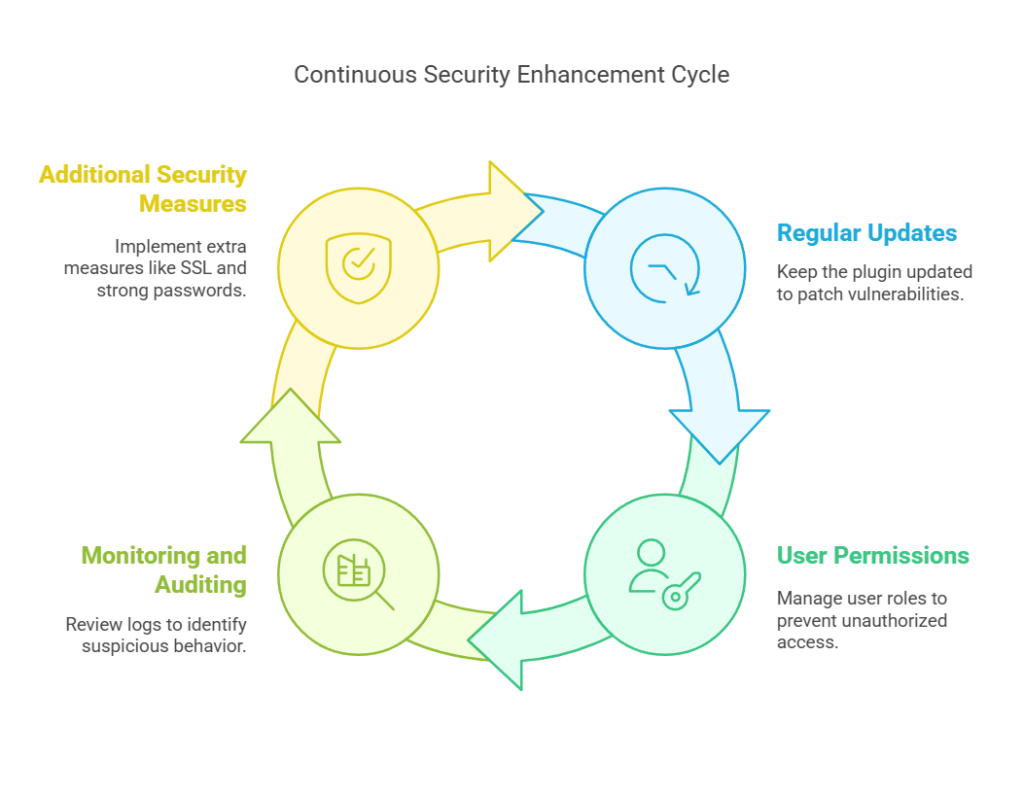
Regular Updates: Ensuring that the Bit Flows plugin is always updated is crucial for maintaining security. Updates often include patches for vulnerabilities that hackers could exploit, so it’s important to keep the plugin current. Here are some steps to follow:
User Permissions: Configuring appropriate user roles and permissions is essential to limit access and prevent unauthorized changes to your site. Here’s how to manage permissions effectively:
Monitoring and Auditing: Regularly reviewing logs and activities helps identify suspicious behavior early on. Here are some practices to implement:
Beyond these best practices, consider implementing additional security measures to enhance your site’s protection:
In conclusion, Bit Flows presents itself as a robust and secure automation plugin for WordPress, designed to smooth workflows while ensuring the integrity and privacy of user data. By employing encryption, secure authentication methods, and compliance with GDPR standards, Bit Flows provides a reliable environment for automating tasks both within WordPress and across external platforms. The plugin’s self-hosted nature means that all data remains on the user’s server, giving users full control over their data and minimizing reliance on third-party servers.
Key security features include the use of Transport Layer Security (TLS) for data encryption, secure authentication methods like JWT tokens and OAuth2, and a robust logging system with flexible retention controls. Additionally, Bit Flows adheres to WordPress coding guidelines and undergoes regular security checks to maintain high standards.
To further enhance security, users should follow best practices such as keeping the plugin updated, managing user permissions effectively, and implementing additional security measures like SSL/TLS certificates and two-factor authentication.
Overall, Bit Flows offers a powerful and secure solution for WordPress users seeking to automate workflows without compromising data security. Its comprehensive approach to data management and compliance makes it an attractive alternative to traditional SaaS automation tools, providing users with both efficiency and peace of mind regarding their data’s safety.








 EN
EN  DE
DE  ES
ES  NL
NL  IT
IT  PT
PT  JA
JA