upto

Ends in:
00
D D
00
H H
00
M M
00
S S

D D
H H
M M
S S
You set up WP Webhooks to send new WooCommerce orders to your fulfillment API, and it works.
Then the warehouse asks for one more step: flag orders over $500 and alert the team. In WP Webhooks, chaining steps with a condition means Flows, and Flows needs Pro.
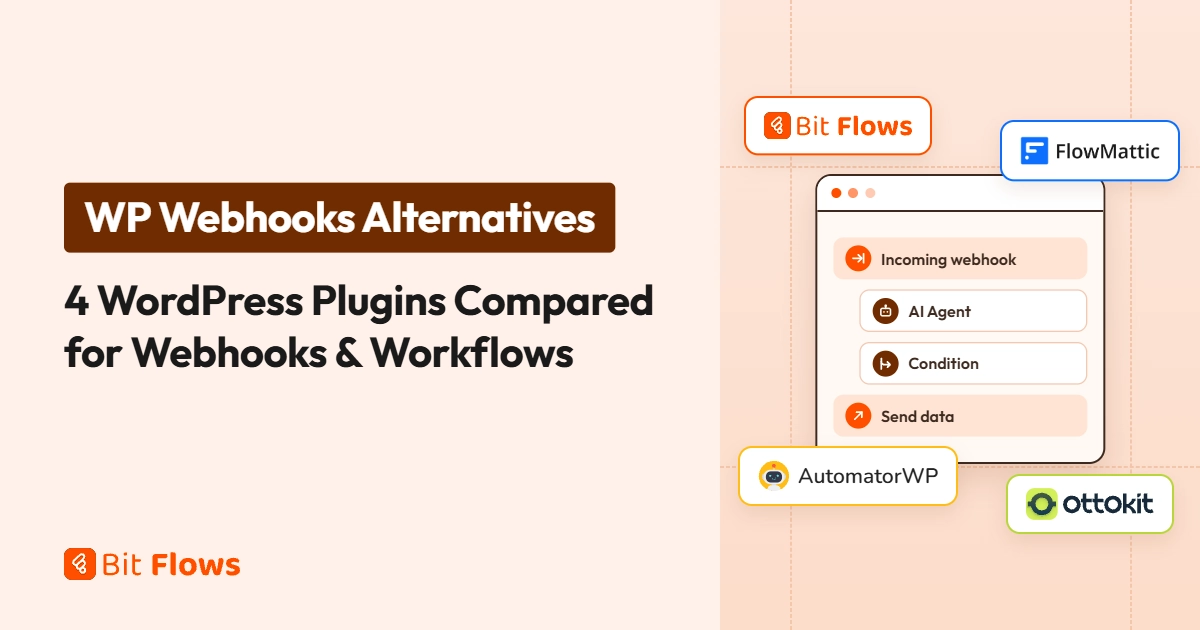
If you are weighing WP Webhooks alternatives, four options cover most of the same ground.
Bit Flows includes incoming webhooks and multi-step flows on its free plan. FlowMattic is a self-hosted visual builder with webhooks and an API module.
AutomatorWP keeps an open-source core and sells webhooks as a paid add-on. OttoKit runs workflows in its cloud through a WordPress connector, with a free plan for light use.
WP Webhooks still fits better when an outside system needs to call WordPress directly.
Four of these run on your WordPress server, and OttoKit runs in its own cloud. They differ on which webhook direction is free and whether multi-step logic needs a paid plan.
| Plugin | Incoming webhooks | Outgoing webhooks | Multi-step logic | Free version | Entry price (1 site) | Best for |
|---|---|---|---|---|---|---|
| WP Webhooks (baseline) | Free | Free | Pro: Flows with step conditions and delays | Yes | $149/yr | Outside systems calling WordPress actions |
| Bit Flows | Free | Free | Free: Condition, Router, Iterator, Delay | Yes | $59/yr, or $159 lifetime | Multi-step webhook workflows on your own server with AI agent |
| FlowMattic | Every paid plan | Every paid plan | Router, Filter, Delay, Join on every plan | No | $149/yr | Webhooks plus form, PDF and email builders |
| AutomatorWP | Paid Webhooks add-on | Paid Webhooks add-on | Many triggers and actions per automation | Yes | $149/yr (Personal Pass, 2 sites) | An open-source core with paid add-ons |
| OttoKit | Free | Business plan: API calls | Pro: conditions, filters, delays. Business: branches | Yes | $108/yr for 5,000 tasks a month, or $499 lifetime | Workflows that run in a hosted cloud |
WP Webhooks, the Cozmoslabs plugin, connects WordPress to other apps through webhooks. Its free version on WordPress.org works in both directions.
Send Data triggers push WordPress events, such as a new user, post, or comment, to any URL you choose.
Receive Data actions give an outside app an authenticated URL that can create posts, users, and comments on your site. You can secure both with an API key, a Bearer token, or Basic auth.
WP Webhooks Pro adds Flows, which chain triggers and actions into multi-step automations, along with step conditions, delays, request logs, and data mapping.
With Pro, you can also update existing posts and users, fire webhooks on any WordPress hook, and use 110+ integrations instead of the free plugin’s 26. Pro starts at $149 per year for one site.
That split matters because a webhook and a workflow do different jobs. A webhook moves one piece of data in one direction. A workflow takes that data through several steps: check a condition, call an API, write the result back.
WP Webhooks’ own documentation describes plain webhooks as one-way and Flows as the layer that both sends and receives.
You may want an alternative when:

Best for: multi-step webhook workflows that run on your own server.
Bit Flows is a self-hosted WordPress automation plugin with a drag-and-drop canvas. Its free plugin includes a Webhook trigger with authentication and IP restrictions, plus Webhook, HTTP, and API Request actions.
The free plan also covers the Condition, Router, Iterator, and Delay tools, execution logs, failed-task emails, and re-execution. When an app has no native integration, a Custom App wraps its API as triggers and actions.
Pro adds premium integrations among the 334+ integrations, Human in the Loop, Run Code for custom PHP, MCP Client and MCP Server; the Free vs Pro comparison has the full list.
The free plan also includes an AI Agent step. It runs on an OpenAI, DeepSeek, Groq, or OpenRouter chat model, keeps context with Simple Memory, and can call your connected apps as tools.
In a webhook flow, the agent can read an incoming payload, classify or score it, and draft a reply before the Router sends it down the right path. You supply the provider’s API key, and the provider bills you directly.
Webhook received → AI Agent classifies the request → Router → Update User in WordPress / add a Google Sheets row
Limits: Bit Flows needs WordPress 5.8+ and PHP 8.0+. Flows run on your hosting, so high-volume, real-time work needs capable hosting. Many app integrations, including Slack and HubSpot, are Pro, and AI or API providers bill you separately.
Choose Bit Flows when you want WP Webhooks’ send-and-receive jobs plus branching and logs on one canvas. The head-to-head below covers the details, and you need an AI agent.
Best for: teams that want webhooks and a full builder suite on one paid license.
FlowMattic is a self-hosted WordPress automation plugin. Its webhooks receive, send, and respond, and every plan includes Router, Filter, Delay, Iterator, and Join steps, task history with re-execution, and an API module.
Plans also ship form, PDF, and email template builders, AI agents, and an MCP server.
Incoming webhook → Filter → Router → API module call
Limits: FlowMattic has no free plugin; you test it on a demo site before buying. It needs PHP 8.1+. If you only need webhooks, much of the builder suite goes unused.
Choose FlowMattic when you want webhooks, workflows, forms, and PDF templates in one paid plugin.

Best for: an open-source core with paid add-ons.
AutomatorWP is a free, open-source automation plugin on WordPress.org. Each automation can hold as many triggers and actions as you need.
Sending and receiving webhooks are included with the Webhooks add-on, which the paid passes include. The Personal Pass costs $149 per year for two sites.
WooCommerce purchase on Site A → webhook → course enrollment on Site B
Limits: Webhooks aren’t in the free plugin, so you pay before you can replace a single WP Webhooks endpoint.
Choose AutomatorWP when you want an open-source core and a pass that covers two or more sites.

Best for: sites that want automations to run in a hosted cloud instead of on WordPress hosting.
OttoKit, formerly SureTriggers, runs workflows in its cloud and connects to WordPress through a connector plugin.
Every plan, including the free one, can receive webhooks and run multi-step workflows. Paid plans add the logic: conditions, filters, and delays start on Pro, while branching paths and custom API calls start on Business.
Each action a workflow completes counts as one task, and triggers are free.
Incoming webhook → Filter → Create User in WordPress
Limits: Your workflow data runs through OttoKit’s cloud. The free plan covers 20 workflows and 250 tasks a month with three days of logs. Paid annual plans start at $9 per month for 5,000 tasks, and lifetime plans start at $499.
Choose OttoKit when you’d rather not run automations on your own server and your monthly task volume is predictable.
Webhook Actions by Flow Systems is a newer plugin that only sends webhooks. Its free version includes a retry queue with backoff, delivery logs with replay, conditions, and webhook chains, but it can’t receive webhooks.
Both plugins send and receive webhooks on their free plans. They split on what happens after a webhook arrives.
In WP Webhooks, multi-step flows, conditions, delays, logs, and data mapping require Pro.
The free Bit Flows plugin includes multi-step flows on a visual canvas, Condition and Router branching, Delay, field mapping, execution logs, and re-execution.
| Feature | WP Webhooks | Bit Flows |
|---|---|---|
| How it works | Webhook endpoints; Flows chain them in Pro | Visual multi-step flows with webhook triggers and actions |
| Send data out | Free: Send Data on user, post, comment, and email events | Free: Webhook, HTTP, and API Request actions after any trigger |
| Receive data | Free: action URLs that create, delete, or get posts, users, and comments | Free: a Webhook trigger that starts a flow |
| Update posts and users from a webhook | Pro | Free |
| Trigger on any WordPress hook | Pro | Free: WordPress Action Hooks trigger |
| Webhook security | Free: API key, Bearer token, Basic auth. Pro: IP whitelist | Free: webhook authentication and IP restrictions |
| Branching and delays | Pro: step conditions that skip a step, plus delays | Free: Condition, Router, Iterator, Repeater, Delay |
| Data mapping | Pro | Free |
| Logs | Pro | Free: logs, re-execution, failed-task emails |
| AI | Free: expose actions to AI agents as WordPress Abilities. Pro: OpenAI, Claude, Gemini and OpenRouter steps | Free: AI Agent and AI actions. Pro: MCP Client and MCP Server |
| Integrations | 26 free, 110+ in Pro | 334+ total; 15 trigger and 27 action platforms free |
Three workflows show where the free plans diverge.
An outside app updates a WordPress user. A booking app confirms an appointment, and the customer’s profile should change.
Webhook received → Update User in WordPress
Bit Flows runs this on its free plan. In WP Webhooks, creating a user through a webhook is free, but updating one needs Pro.
A WooCommerce order takes different paths.
WooCommerce new order → Router → over $500: Telegram alert + Google Sheets row / other orders: Google Sheets row
Bit Flows handles the branch with its free Router. WP Webhooks needs Pro Flows, where each step’s condition decides whether that step runs or gets skipped.
A form submission calls a custom API.
Contact Form 7 submission → API Request with your API key header → JSON Parser → Google Sheets row
WP Webhooks can send the form data to the API on its free plan. Reshaping the payload needs Pro data mapping, and using the API’s response in a next step needs Flows. Bit Flows covers all three steps for free.
Choose WP Webhooks when another system needs to call WordPress directly. One authenticated action URL can run any Receive Data action you name in the request, and WP Webhooks documents every argument for each action.
Choose Bit Flows when your webhooks feed multi-step logic, you want logs and mapping without a Pro license, or you need unlimited sites or a lifetime license.
Match the plugin to the job your webhooks do today.
| If you need to… | Look at |
|---|---|
| Branch, delay, and log webhook workflows on a free plan | Bit Flows |
| Run webhooks plus forms, PDFs, and bookings in one paid plugin | FlowMattic |
| Start from an open-source core | AutomatorWP |
| Run automations in a hosted cloud | OttoKit |
| Deliver outbound webhooks with retries, nothing inbound | Webhook Actions |
| Let another system call WordPress actions directly | WP Webhooks |
Each free plugin supports a different set of WordPress plugins. Check that your form, store, or LMS plugin is on the free list before you compare prices.
Before you switch:
No single plugin replaces every WP Webhooks setup. If outside systems call WordPress actions directly, WP Webhooks still fits that job well.
If your webhooks need branching, delays, logs, and an AI Agent, Bit Flows covers them on its free plan and FlowMattic on a paid one.
AutomatorWP suits plugin-to-plugin work more than webhook-heavy setups, and OttoKit fits teams that prefer running automations in a hosted cloud.
The quickest test is one real workflow. Install the free Bit Flows plugin from WordPress.org, rebuild one webhook you run today, and compare the setup with what you have now.
Yes. The free WP Webhooks plugin on WordPress.org sends and receives webhooks with an API key, Bearer token, or Basic auth, and it includes 26 integrations. Flows, logs, data mapping, updating posts and users, and 110+ integrations require WP Webhooks Pro, which starts at $149 per year for one site.
Bit Flows does. Its free Webhook trigger starts a flow and supports authentication and IP restrictions. OttoKit’s free plan also receives webhooks, but its workflows run in OttoKit’s cloud and count against a monthly task limit.
Not always. WooCommerce has built-in webhooks under WooCommerce → Settings → Advanced → Webhooks for order, product, customer, and coupon events. Add a plugin when you need to reshape the payload, add steps or conditions, receive data, or react to events outside WooCommerce.
Both plugins support AI clients in different ways. WP Webhooks can expose its free actions as WordPress Abilities on WordPress 6.9+, and an MCP server plugin such as MCP Adapter lets clients like Claude call them. Bit Flows Pro includes an MCP Server: Claude, ChatGPT, or Cursor can connect over OAuth 2.1 and can build, update, run, and debug your flows.
An outgoing webhook sends data from your site to another app when something happens, such as a new order. An incoming webhook works the other way: another app sends data to a URL on your site, and your site acts on it. WP Webhooks calls these Send Data and Receive Data. In Bit Flows, they’re Webhook actions and the Webhook trigger.
The self-hosted plugins don’t. WP Webhooks, Bit Flows, FlowMattic, and AutomatorWP charge a license fee, and your hosting sets the practical limit on volume. OttoKit counts each completed action as a task, with 250 a month on its free plan. AI and API providers bill for their own usage either way.