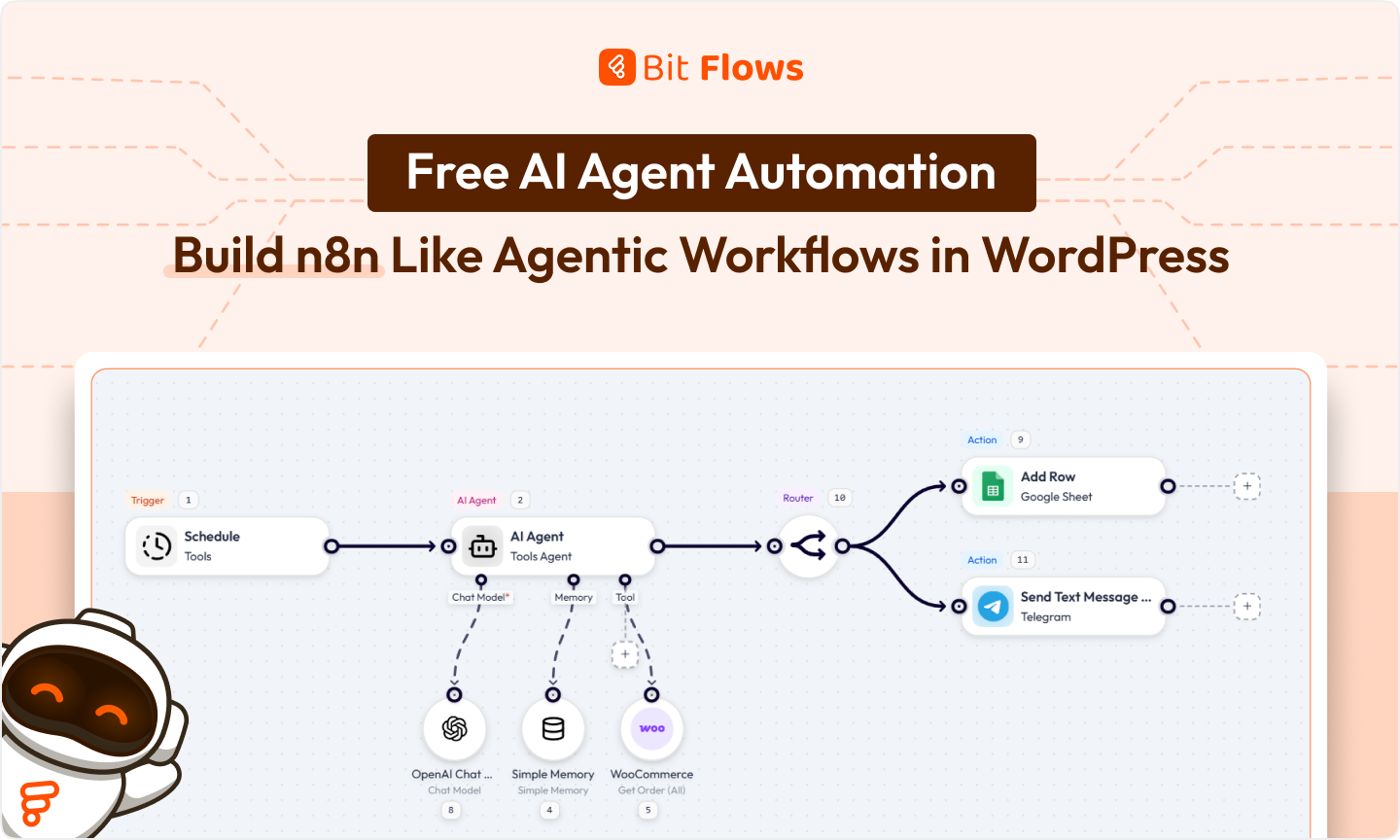
The era of WordPress automation is changing. Instead of fixed rule-based tasks, we now have Free AI Agents that can make decisions and act autonomously. These agentic workflows bring intelligence to tasks like content creation and customer support.
This means your site can use AI to handle things. For example, writing blog posts or analyzing data, without human intervention. In short, your WordPress automation can now include complex, AI-driven decision-making without human help.
This is big news for site owners and WooCommerce stores. Demand for AI automation in WordPress is rising, as people seek smarter workflows without coding or extra fees. Rather than rely on an external service like n8n or Zapier, you can build AI workflows directly in WordPress. Bit Flows is a free AI automation tool (WordPress plugin) that lets you create unlimited AI-driven workflows with a drag-and-drop interface.
The result? You get full data ownership, faster execution, and a simpler setup. In this article, we’ll explain AI Agents and agentic workflows, and show how to build them in WordPress. By the end, you’ll see how Bit Flows can turn your site into an AI automation engine. This is the new era of AI automation in WordPress.
An AI Agent is a system that can understand input, make decisions, and take actions automatically. In other words, an AI Agent perceives data (like text or form responses), reasons about it, and then does something without human help.
For example, an AI Agent might read customer messages and decide how to respond, or analyze a document and extract key information. The core capabilities of an AI Agent typically include:
AI Agents power agentic workflows that behave more like a virtual assistant than a simple script. For example, a content AI Agent could automatically write a blog post, add SEO metadata, and schedule its publication. These agents let your WordPress automation run on autopilot.
Agentic workflows are automated flows powered by AI Agents. They can think before acting, choose their own path, and handle complex tasks independently. In a traditional workflow, you define every step manually.
For example, “if this form is submitted, then send an email”. In an agentic workflow, the AI Agent analyzes the situation and decides the steps on the fly. Key characteristics of agentic workflows include:
Agentic workflows allow websites to do complex tasks that traditional automation couldn’t handle. They turn your WordPress into an intelligent system, adapting to new situations automatically.
Comparing agentic AI automation with traditional automation shows the difference:
For example, a traditional workflow might send form data to ChatGPT and then save the reply. An agentic workflow could do more: if the user’s message is incomplete, the free AI Agent might ask a follow-up question and then use the additional answer to refine the result. Essentially, agentic workflows make WordPress automation smarter and more adaptive.
Yes! You can run AI Agents inside WordPress using tools like Bit Flows. WordPress supports AI-driven workflows through plugins that use webhooks and APIs. For example, an AI Agent can listen to events on your site and then take actions. For example, Bit Flows lets AI Agents interact with:
When such an event triggers a flow, the AI Agent can analyze data and then create posts, send emails, update WooCommerce data, or call external APIs. It can read and write to custom fields, run database queries, and even store memory in WordPress.
All of this happens through a plugin interface, so you don’t need to code the AI yourself. With Bit Flows, AI-driven automation is deeply integrated into WordPress.
You might wonder why it’s better to run AI automation inside WordPress instead of using an external service. Here are some reasons:
So building n8n-like agentic workflows inside WordPress means lower cost, better performance, and tighter integration. You still get all the power of AI automation, but it feels like a natural part of your site’s backend.

Bit Flows is a WordPress plugin that brings no-code workflow automation to your site. It supercharges WordPress automation with AI, all without leaving your dashboard. In other words, it lets you add advanced AI automation in WordPress using only your existing site.
It’s completely free, making it the easiest free AI automation tool to start with. Bit Flows features:
All these features make Bit Flows ideal for building agentic AI workflows in WordPress. It’s completely free to start, yet it has the power of a full automation platform. You get unlimited workflows, no-code convenience, and native WordPress integration, the perfect setup for AI-driven automation.
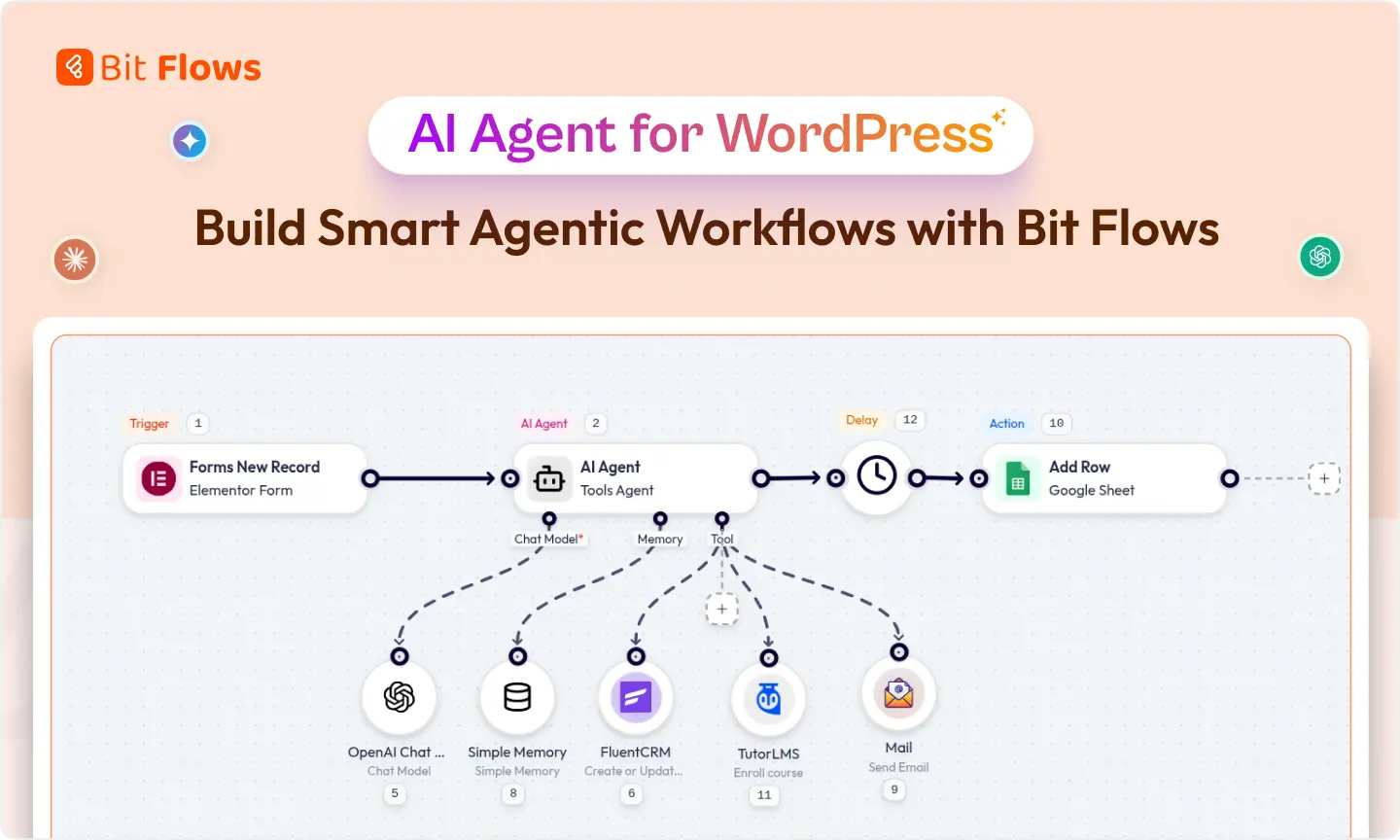
Bit Flows lets you assemble AI Agent workflows visually. Here’s how it works under the hood:
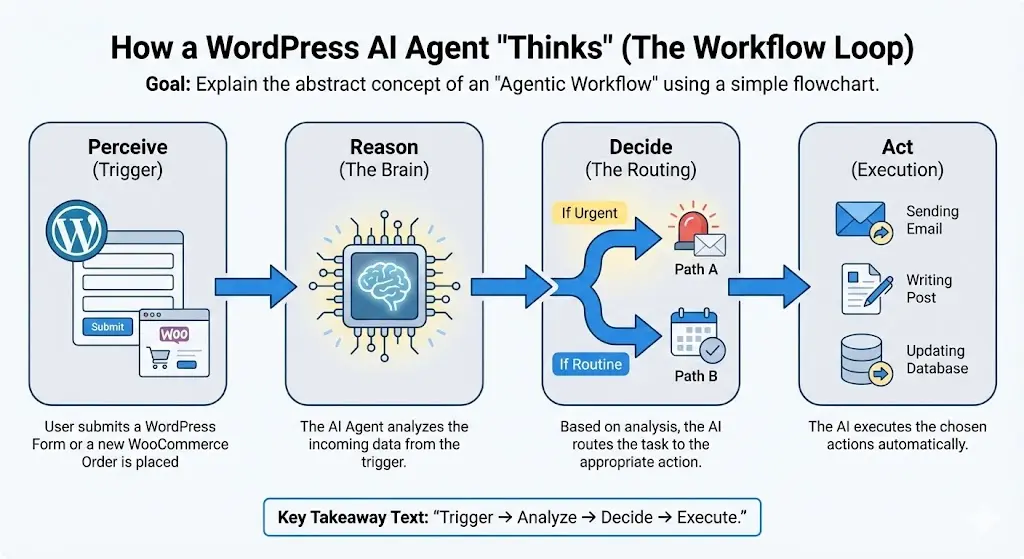
Bit Flows also has a smart execution engine: it manages a queue, retries failed steps, and ensures efficient use of server resources. In effect, your WordPress site becomes a hub where AI reasoning and actions happen deeply behind the scenes.
Let’s put it all together with a concrete example. We’ll build a workflow where a form submission generates WooCommerce sales reports with AI Agent. This uses only the free features in Bit Flows. After installing the Bit Flows plugin, follow the easy steps:
Open Bit Flows from your WordPress dashboard and create a new flow. Add a Schedule Trigger as the first step. Set it to run after one day or once every 24 hours / 1 Day. This decides when your WooCommerce sales report will run automatically.

Next, add an AI Agent node after the trigger. Choose your chat model, such as OpenAI, Gemini, or Claude. Turn on memory if you want the agent to keep context. Then add your prompt.
💡Connect the Chat Model with your API key. Follow this guide to add ChatGPT API Key in Bit Flows. Use higher model to get accurate result.
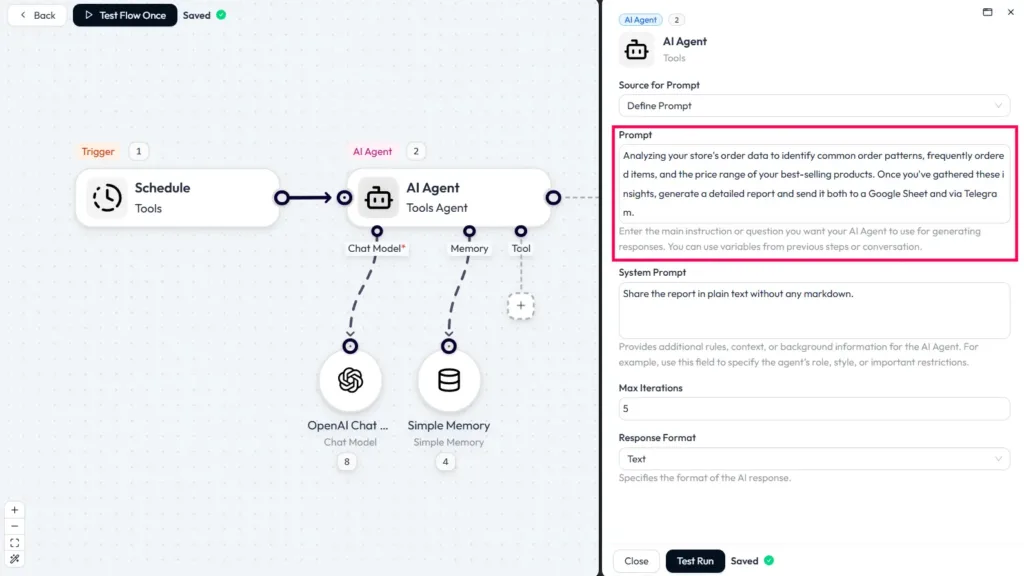
After adding the prompt, do a test run. This will allow you to see the output from the panel, and you can adjust the prompt as per your needs.
Inside the agent, add the WooCommerce “Get All Orders” action under the tool. This allows the AI Agent to collect your WooCommerce sales data and prepare it for reporting.
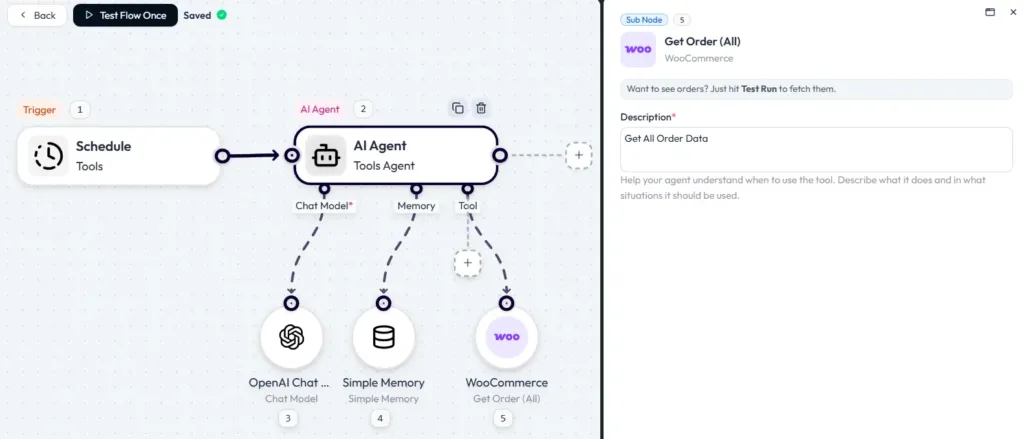
Now, add a Router after the AI Agent. Create two routes. In the first route, connect Google Sheets and the map report field generated by the AI Agent. This sends your sales report to Sheets.
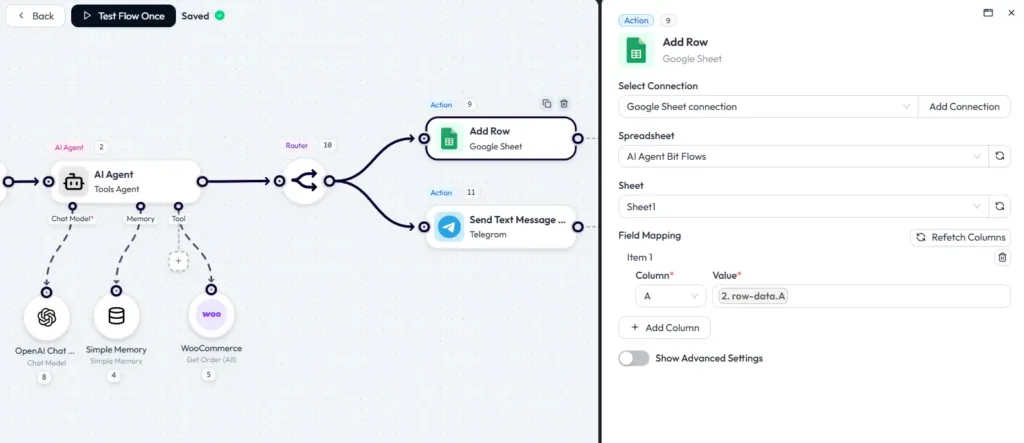
Similarly, in the second route, connect Telegram and add your chat ID. Send a short summary message with total sales or order count. This shares the same report to both platforms at the same time.
Now, do a test run. Bit Flows will run the AI Agent and then create the report for you. Check the flow log in Bit Flows to see each step’s input and output.
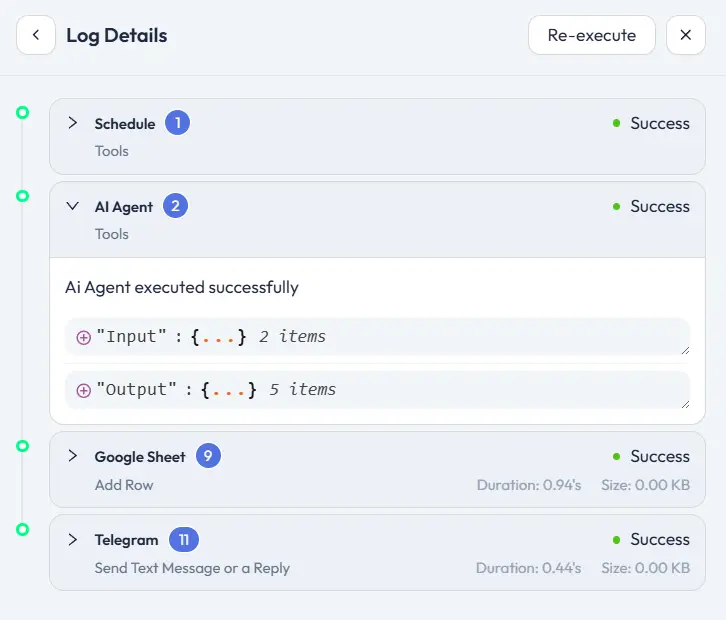
That’s it! With these steps, you’ve built a free AI automation workflow inside WordPress. Every form submission will now trigger the AI Agent to write and publish a blog post automatically.
Here is an output from this workflow.
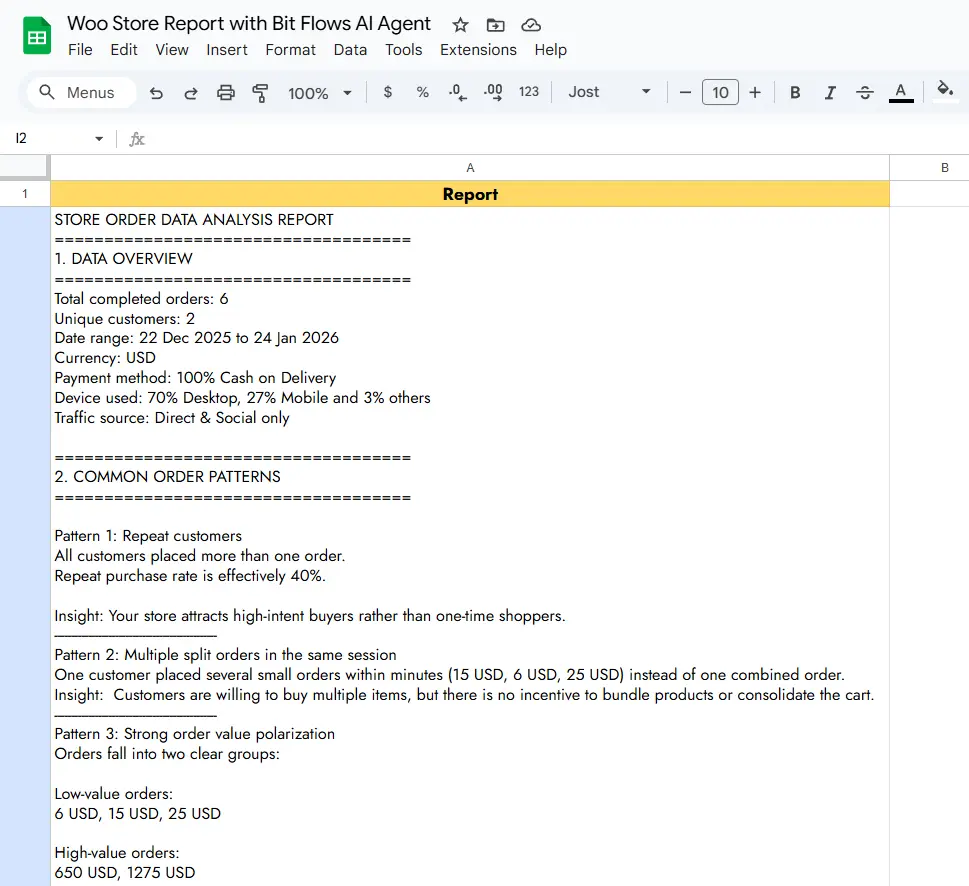
Here are a few more ways you can use agentic AI automation in WordPress and WooCommerce:
Each of these is an example of an agentic workflow. You combine WordPress triggers with an AI Agent that reasons and calls multiple actions, making your site much more powerful and automated.
When running AI Agents on your site, performance and security are important. Bit Flows addresses these:
In short, using AI Agents in WordPress can be as secure and performant as your site itself. You benefit from standard WordPress security and get the privacy of a self-hosted solution.
AI automation in WordPress is still in its early days, but the potential is huge. We’re only beginning to tap into what AI Agents can do. For WordPress site owners, this is the future of WordPress automation. Imagine:
WordPress itself will become smarter, with plugins like Bit Flows pushing the boundaries. As AI models advance, expect workflows to become even more autonomous. The trend is clear: the future of WordPress is intelligent automation, and it’s already here.
Agentic AI is no longer science fiction; it’s a practical reality today. By combining WordPress automation with AI Agents, you can offload tasks and let your site operate autonomously. For example, Bit Flows is a free AI automation tool that lets you experiment with AI workflows at no cost.
AI agent automation empowers WordPress automation like never before. Agentic workflows can handle content, sales, support, and more with minimal effort from you. With Bit Flows, starting is easy: install the plugin, build a flow, and watch your site transform.
And remember, Bit Flows is a free AI automation tool, so getting started won’t cost anything. The future is agentic; start building your AI-driven workflows today.
AI agent automation means building intelligent workflows in WordPress at no cost. Using plugins like Bit Flows, you can create AI Agent workflows that automate tasks without paying for an external service.
Yes. Bit Flows is a no-code tool with a visual builder. You simply drag nodes onto the canvas and configure AI prompts or actions with text fields. No programming is required to set up agentic workflows.
Generally no. Bit Flows runs workflows in the background and uses a queue, so visitors won’t experience delays. The plugin is designed to use server resources efficiently. Of course, very heavy use of AI (like generating many images at once) could strain your host, so adequate hosting is recommended.
Absolutely. Bit Flows has an intuitive interface. It comes with documentation and templates to help new users. Even someone without technical skills can start automating tasks in minutes. The drag-and-drop canvas makes building workflows straightforward.
Yes. Bit Flows includes WooCommerce triggers (new order, new product, order status change) and actions (create or update products, orders, customers, etc.). You can use AI Agents to automate any aspect of your WooCommerce store, like writing product descriptions or analyzing orders.
Yes. Bit Flows supports multiple AI providers. You can add several AI Agent nodes in a workflow, each using a different model (for example, one using OpenAI GPT-4 and another using Google Gemini). This gives you the flexibility to pick the best model for each task.
Since Bit Flows runs on your site, your data remains on your server. You control access to that data. External AI calls are secure (over encrypted channels), and credentials are stored safely. Many users prefer this self-hosted model for data privacy, as opposed to sending data to a third-party automation service.
The free version includes all core features: unlimited agentic workflows, multi-step flows, the AI Agent node, webhooks, APIs, and more. You get the basic triggers (WordPress, forms, WooCommerce, email, etc.) and all logic tools at no cost. In short, you can build powerful AI Agent automations for free. The Pro version adds premium integrations and priority support.



 EN
EN  DE
DE  ES
ES  NL
NL  IT
IT