Publishing content on WordPress is only half of the work.
The real pressure starts after the post is ready. You need to publish at the right time, share it on social media, avoid missed schedules, keep old content alive, update campaign posts, and make sure your audience sees the content when it matters.
Doing that manually works for the first few posts. It becomes messy when you publish every week, manage multiple authors, handle WooCommerce products, or run social campaigns across many channels.
That is why WordPress content scheduling plugins are useful. They help you plan, publish, auto-share, and manage content from inside WordPress. Some focus on social media auto posting. Some focus on editorial calendars. Some help recycle old posts. The right choice depends on how your content workflow actually works.
This guide compares the top plugins for scheduling WordPress content publishing, with a clear decision path so you can choose the right tool without testing everything one by one.
If you want the best overall WordPress content scheduling plugin for publishing posts and sharing them across social platforms, Bit Social is the strongest choice for most WordPress users.
It gives you WordPress post scheduling, auto posting, Share Now, social calendar, post filters, templates, multiple accounts, multiple image sharing, external cron support, WooCommerce product sharing, email alerts for failed posts, and scheduled digest reports from one dashboard.
Jetpack Social is good if you already use Jetpack and want a simple social sharing tool. SchedulePress is strong for editorial calendar planning. Revive Social is better for recycling old posts. NextScripts works well for technical users who need many network options and do not mind a more manual setup.
| Plugin | Best for | Main strength | Pricing type |
|---|---|---|---|
| Bit Social | WordPress social scheduling and auto posting | Best balance of scheduling, automation, filters, calendar, cron, templates, and reporting | Free, annual, lifetime |
| Jetpack Social | Simple sharing from WordPress editor | Easy social sharing for Jetpack users | Free, annual |
| SchedulePress | Editorial calendar and post scheduling | Strong visual calendar with missed schedule handling | Free, annual, lifetime |
| Revive Social | Recycling old WordPress posts | Keeps evergreen content active on social media | Free, annual |
| NextScripts | Technical multi-network auto posting | Broad network support and white-labeled posting | Free, annual API, lifetime plugin |
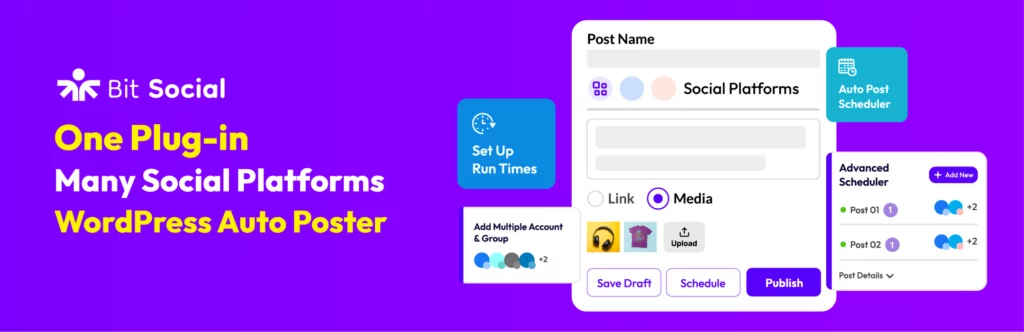
Bit Social is the most complete choice for WordPress users who want to schedule content publishing and auto-share posts from one place. It is built for the real publishing workflow, where a blog post, WooCommerce product, page, or custom post type needs to go out at the right time and reach the right social accounts.
You can use it to auto-post new WordPress content, schedule future social posts, instantly share custom messages, manage social accounts, and view scheduled activity from a calendar. It also supports post filters by category, tag, post type, date, and specific post ID, which gives better control than basic auto-sharing tools.
Bit Social stands out because it handles both publishing automation and practical monitoring. Features like external cron support, email alerts for failed scheduled posts, digest reports, templates, multiple image sharing, and multiple account management make it a strong fit for bloggers, agencies, WooCommerce stores, and content teams that want reliable WordPress social media scheduling without leaving the dashboard.
| Plan | Annual | Lifetime |
|---|---|---|
| Starter (1 site) | $49/year | $89 one-time |
| Agency (unlimited sites) | $99/year | $149 one-time |
Best for WordPress users who want one plugin for content scheduling, social media auto posting, calendar planning, and publishing reports. It is the best first choice for blogs, agencies, WooCommerce stores, news sites, and marketing teams that publish often.
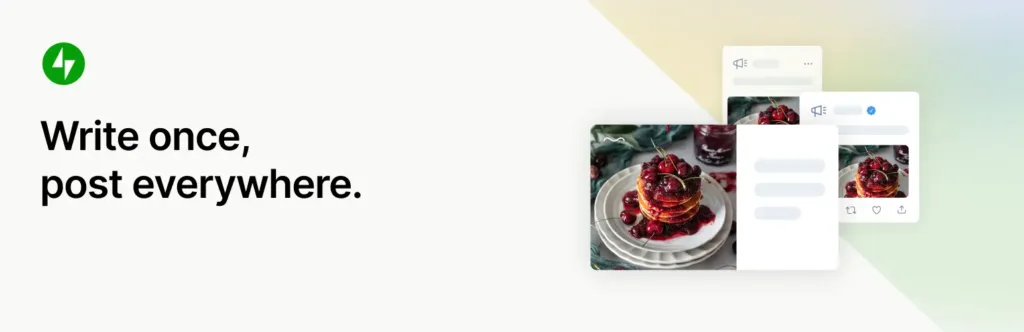
Jetpack Social is a simple option for WordPress users who want to share posts from the editor without building a full social media workflow. It lets you connect social accounts, auto-share new posts, schedule social posts, customize text and visuals, and recycle published content.
Its biggest advantage is convenience. If a site already uses Jetpack or other Automattic tools, Jetpack Social feels familiar and easy to add. It supports popular platforms like Facebook, Instagram, Threads, Bluesky, LinkedIn, Mastodon, Nextdoor, and Tumblr, which covers many common publishing needs.
The limitation is that it is not as focused on deep WordPress publishing automation as a dedicated scheduler. It works well for creators, bloggers, and small teams who want a clean social sharing layer, but it may feel limited for users who need advanced filters, external cron, WooCommerce-focused sharing, detailed queue control, or failure reporting inside WordPress.
| Plan type | Price |
|---|---|
| Social Annual (1 site) | $59.4/year |
| Lifetime | Not available |
Best for bloggers and small publishers who already use Jetpack and want simple social sharing from WordPress. It is a good fit when ease of use matters more than advanced scheduling controls.
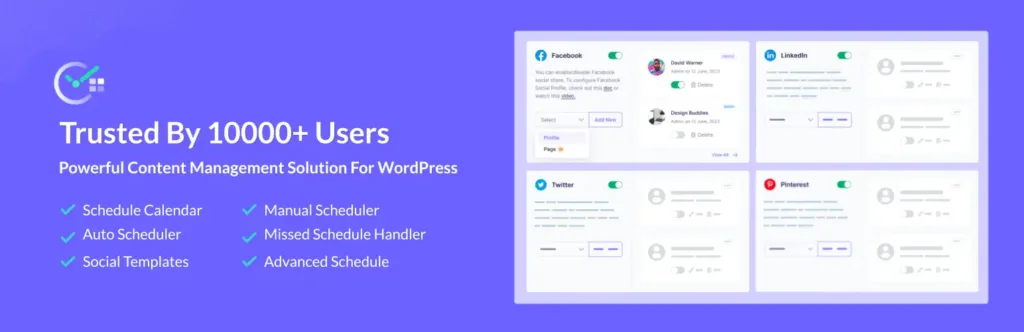
SchedulePress is a strong content scheduling plugin for teams that care about the editorial calendar first. It gives you a visual calendar, drag-and-drop scheduling, dashboard widget, auto scheduler, manual scheduler, missed schedule handler, and content planning features inside WordPress.
It is helpful for multi-author blogs, content teams, magazines, documentation sites, and publishers that need to see what is planned before posts go live. You can create content from the calendar, move scheduled posts, handle missed schedules, and control who can manage post scheduling.
SchedulePress also includes social sharing features for platforms such as Facebook, X, LinkedIn, Instagram, Medium, Pinterest, Threads, and Google Business Profile. Still, its biggest strength is editorial planning. If your main problem is organizing WordPress content before publishing, SchedulePress is a solid option.
| Plan type | Billing |
|---|---|
| Individual Annual | $39/year |
| Business Annual | $112/year |
| Lifetime Unlimited | $249 one-time |
Best for editorial teams that need a clean WordPress content calendar and post scheduling workflow. It is useful for multi-author blogs, content-heavy sites, and teams that plan posts weeks ahead.
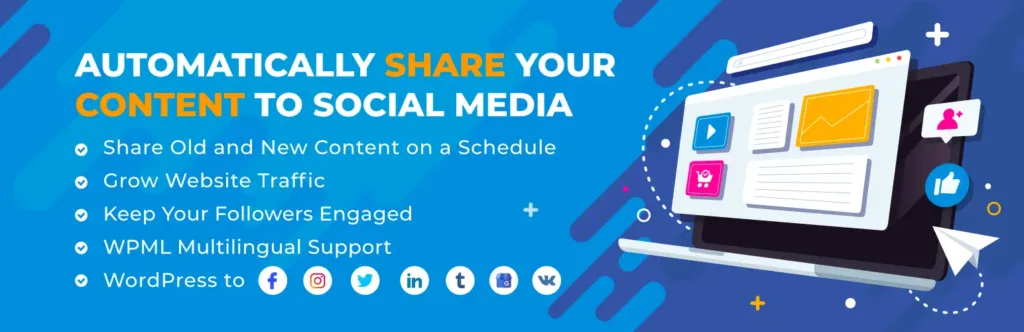
Revive Social is built for a different publishing problem. Instead of only focusing on new content, it helps you keep older WordPress posts active by resharing them on social media. This makes it useful for blogs with evergreen articles, tutorials, product guides, recipes, education posts, or long-form resources.
You can automatically share new posts, schedule recurring shares, filter what content gets posted, add hashtags from categories or tags, and use custom message variations. The Pro version adds deeper scheduling, more social networks, custom post type support, image sharing, queue management, and more account options.
| Plan type | Price |
|---|---|
| Starter Annual (1 site) | $99/year |
| Business Annual (3 sites) | $199/year |
| Marketer Annual (unlimited sites) | $399/year |
| Lifetime | Not available |
Best for blogs and content sites that want to bring traffic back to older evergreen posts. It works well when your site already has a large content library worth resharing.
NextScripts is one of the older and more technical WordPress social auto-posting plugins. It supports automatic posting from WordPress to many social networks and publishing destinations, including some platforms that many newer tools do not cover.
Its main appeal is control. It can use your own social apps, support message formatting tags, filters, URL shorteners, reposting, WooCommerce product sharing, custom URLs, and many destination types. For technical users, this can be useful when they want deeper configuration instead of a simple plug-and-play interface.
The trade-off is setup complexity. Some networks need extra API libraries or custom app work, and the pricing structure can feel less straightforward than modern WordPress scheduling plugins. It is best for experienced users who need broad network coverage and are comfortable managing platform rules, API access, and plugin settings.
| Plan type | Price | Site usage |
|---|---|---|
| Premium API Annual | $49.95/year | Depends on setup |
| SNAP Pro Lifetime (1 site) | $49.95 one-time | Plugin license |
| SNAP Pro Multiuser Lifetime | $149.95 one-time | Multiuser use |
Best for technical WordPress users who need broad network support and custom app-based posting. It is not the easiest option, but it can be useful when platform coverage matters more than simplicity.
A good WordPress content scheduling plugin should match your publishing process, not just your feature wishlist.
Before choosing, check these points:
Some plugins focus on WordPress post scheduling. Some focus on social media sharing. Some focus on old post recycling.
If you publish fresh content every week and need social distribution, choose a plugin with auto-posting, calendar, templates, and account management. If your main issue is editorial planning, choose a stronger calendar tool. If old posts need traffic again, choose a recycling tool.
Do not choose a plugin only because it supports a long list of networks. Check the platforms your audience actually uses.
For many WordPress sites, Facebook, LinkedIn, X, Instagram, Threads, Pinterest, Google Business Profile, Telegram, and Bluesky are more important than having dozens of smaller platforms.
Scheduled posts can fail when WordPress cron does not run properly. This often happens on low-traffic sites or sites with poor hosting setup.
A stronger plugin should offer cron guidance, external cron support, missed schedule handling, or failed post notifications. These features matter more than they look, especially for business sites and agencies.
Basic auto-sharing is enough for small blogs. But growing teams need more control.
Look for post filters, custom templates, platform-specific messages, multiple account support, custom images, scheduling calendar, and clear logs or reports.
Some tools offer a simple annual or lifetime license. Others use monthly billing, yearly API access, or add-ons.
Check the real long-term cost before choosing. A low first-year price may renew higher. A lifetime deal may be better if you manage several WordPress sites.
Bit Social is the best overall choice because it covers the most practical needs in one tool. It can schedule WordPress posts, auto-share content, manage multiple accounts, filter posts, use templates, show a calendar, support external cron, and send failed post alerts.
Jetpack Social is the easiest choice if your site already uses Jetpack and you only need basic sharing, scheduling, and content recycling from the WordPress editor.
SchedulePress is best when your main problem is managing future content. Its visual calendar, drag-and-drop planning, dashboard widget, and missed schedule handler are useful for content teams.
Revive Social is best when your content library has many evergreen articles that still deserve traffic. It helps reshare older posts without manually promoting them again.
NextScripts SNAP is best for technical users who want broad destination support, custom app-based posting, white-labeled posts, and deep setup control.
The best WordPress content scheduling plugin depends on the publishing problem you want to solve.
If your main goal is to publish new content and share it across social platforms with less manual work, choose a tool that gives you scheduling, auto-posting, post filters, templates, account management, calendar view, and reporting. That is the safest direction for most active WordPress sites.
If your main pain is planning future posts, focus on the editorial calendar. If your old content still has value, choose a tool that can recycle it. If your setup needs rare social networks or custom app control, choose a more technical auto-poster.
Do not pick a plugin only because it has the longest feature list. Pick the one that matches your publishing habit, your team size, your social platforms, and your need for reliability.
For most WordPress site owners, the smartest starting point is a clean scheduling and social publishing workflow. Once that is in place, every new post gets a better chance to reach readers without adding more manual work to your day.
Bit Social is the best overall choice for most WordPress users because it combines post scheduling, social auto-posting, filters, calendar view, templates, external cron support, and publishing reports in one plugin.
Yes. WordPress has a built-in post scheduling feature. But it only schedules the post on your website. It does not give you advanced social sharing, post filters, content calendars, failed post alerts, or multi-account publishing workflows.
Bit Social is the best choice if you want a balanced WordPress social media auto poster with scheduling, Share Now, multiple accounts, templates, WooCommerce support, and monitoring features.
SchedulePress is a strong option for editorial calendar planning. It gives you a visual calendar, drag-and-drop scheduling, auto scheduler, manual scheduler, dashboard widget, and missed schedule handling.
Revive Social is best for recycling older content. It is useful for evergreen blogs, guides, tutorials, and product content that can still bring traffic after the original publish date.
Some do. Bit Social supports WooCommerce product sharing, and NextScripts SNAP also supports WooCommerce product auto-posting. Always check the exact product post type and network support before choosing a plugin.




 EN
EN  DE
DE  ES
ES  NL
NL  IT
IT