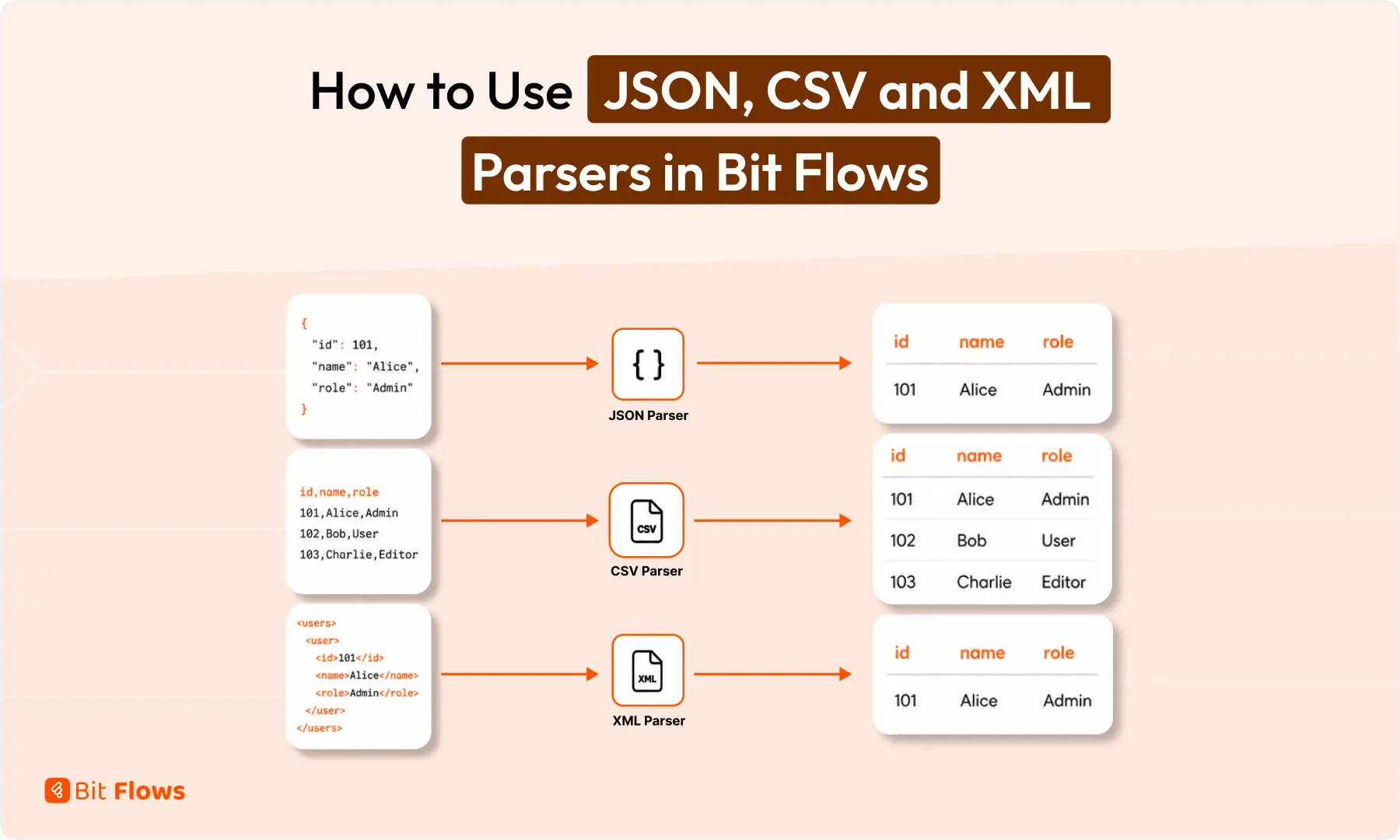
Raw data is not ready for automation until your workflow can read it.
A webhook may send order details as JSON. A report may arrive as CSV rows. An older API may return product data in XML.
Bit Flows includes built-in parser tools to read these formats and turn them into clean fields. After that, you can map the values to Google Sheets, WooCommerce, CRM tools, email apps, Slack, Telegram, AI Agent, or any other step in your workflow.
Quick answer: JSON, CSV, and XML parsers help Bit Flows read raw data from webhooks, APIs, reports, and feeds. Once parsed, the data becomes available as separate fields. You can then map those fields to Google Sheets, WooCommerce, CRMs, emails, Slack, Telegram, AI Agent, or other workflow steps.
Parsers are Bit Flows tools that read structured data and make it usable inside a workflow. Bit Flows currently includes three parser tools:
Each parser is made for a different data format. The goal is simple: take raw data, extract the values, and use those values in the next workflow step.

For example, if a webhook sends customer data, you can parse the customer name, email, order ID, and payment status. Then you can send those values to a spreadsheet, CRM, email, or notification app.
You need a parser when the data arrives as one raw block, not as separate fields.
For example, an incoming webhook may send the full order payload in one JSON body. An API may return product details inside XML tags. A CSV file may contain many rows that need to be processed one by one.
You usually do not need a parser when the previous app already sends clean fields, such as name, email, phone, and message.
Most WordPress automation workflows depend on field mapping.
If a form sends clean fields, mapping is easy. But API responses, webhook payloads, feeds, and exported files often come in formats that need to be processed first.
A parser saves you from writing custom code for simple data extraction. With Bit Flows, you can parse the data inside the visual workflow builder and use the result in later nodes.
The JSON Parser reads JSON data and converts it into workflow fields. JSON is common in APIs, webhooks, SaaS apps, and custom app responses. If you work with modern API data, this parser will be used often.
{
"order_id": 5821,
"customer_name": "Sarah Khan",
"email": "sarah@example.com",
"payment_status": "paid"
}
After parsing, Bit Flows can use each value separately:
order_idcustomer_nameemailpayment_status
Bit Flows receives order data from a webhook. The JSON Parser extracts the values. And now each data can be mapped separately.
The CSVパーサー reads comma-separated data and turns rows into structured fields. CSV is common in lead lists, exported reports, product sheets, booking data, and bulk records.

After parsing, Bit Flows can read values like:
idnamedepartmentstatus
Bit Flows reads a CSV source, parses the rows, and uses an Iterator to process each row. Each contact can then be added to a CRM or sent to Google Sheets.
The XML Parser reads XML data and extracts values from tags. XML is still used in product feeds, legacy APIs, booking systems, payment systems, and enterprise platforms.
<product>
<id>303</id>
<name>Keyboard</name>
<stock>45</stock>
<price>79.00</price>
</product>
After parsing, Bit Flows can use:
idnamestockprice
An external API returns data in XML. Bit Flows parses the XML response and maps the values to the next action.
Choose the parser based on how your incoming data is structured. The right parser turns raw data into clean fields, so you can map it to the next workflow step without manual cleanup.
| Data type | Use this parser | Common source | Best next step |
|---|---|---|---|
| JSON | JSON Parser | Webhooks, APIs, SaaS apps, custom apps | Map fields to CRM, Sheets, Gmail, AI Agent, or Conditions |
| CSV | CSVパーサー | Reports, spreadsheets, exports, lead lists | Use Iterator to process each row |
| XML | XML Parser | Product feeds, older APIs, booking systems | Extract tags, then update WooCommerce, Sheets, or API requests |
A quick way to choose:
{ } または [ ] usually needs JSON Parser<product> または <user> needs XML ParserThe setup is simple.
Once the parser creates clean fields, you can use those fields in actions, conditions, routers, AI Agent prompts, emails, logs, and app connections.
For CSV files with multiple rows or JSON arrays with multiple items, add Iterator after the parser. This lets Bit Flows process one row or item at a time.
Bit Flows parsers are useful when your workflow needs to handle structured data before sending it somewhere else. Common use cases include:
Parser issues usually come from wrong input mapping, invalid data format, or missing loop handling. Use the checks below to find the cause faster and fix the workflow before sending data to the next step.
| Problem | Likely reason | What to check |
|---|---|---|
| Parser output is empty | Wrong input field selected | Check whether you mapped the raw body or response field |
| JSON parser fails | Invalid JSON format | Check missing commas, quotes, or brackets |
| CSV rows are not detected | Header or delimiter issue | Check whether the first row contains field names |
| XML values are missing | Wrong tag structure | Check nested tags and repeated items |
| Only one item is processed | Multiple rows or items need looping | Add Iterator after the parser |
| Data looks correct but next app fails | Wrong field mapping | Check the mapped values in workflow logs |
Parser tools are small, but they solve a common automation problem. They turn messy webhook, API, feed, and report data into fields your workflow can actually use.
Use JSON Parser for API and webhook payloads. Use CSV Parser for row-based records. Use XML Parser for feeds and older systems. After that, you can route, filter, map, summarize, notify, or send the data anywhere your Bit Flows workflow needs it.
Bit Flowsのパーサーは、構造化データを読み取り、それをワークフローで利用可能なフィールドに変換します。パーサーを使用すると、JSON、CSV、またはXMLデータから値を抽出し、次のステップにマッピングすることができます。.
JSONパーサーは、Webhook、API、SaaSアプリ、またはカスタムアプリの応答からデータを受け取るワークフローで使用してください。注文ID、顧客のメールアドレス、支払いステータス、製品詳細などの値を抽出するのに最適です。.
レポート、スプレッドシート、エクスポート、リードリスト、または一括レコードから行ベースのデータを処理する必要がある場合は、CSVパーサーを使用してください。複数の行を処理するには、イテレーターを使用して各レコードを 1 つずつ処理できます。.
XMLパーサーは、製品フィード、レガシーAPI、予約システム、エンタープライズプラットフォームからタグベースのデータを受け取るワークフローで使用します。XMLタグから値を抽出し、後続のワークフローステップで使用できるようにします。.
Yes. Bit Flows can receive webhook data and pass it through JSON Parser, CSV Parser, or XML Parser based on the data format. After parsing, you can send the values to Google Sheets, WooCommerce, CRM tools, email apps, or AI Agent.
Use Iterator after the parser. Iterator lets Bit Flows process each row, record, or item separately, which is useful for CSV files, JSON arrays, product feeds, and bulk lead lists.
Yes. After parsing, you can use the extracted fields in Conditions/Filters or Router. For example, you can check payment status, lead source, department, stock level, or ticket type before sending data to the next app.
Yes. You can send parsed values to Bit Flows AI Agent for summaries, routing, classification, content generation, or support analysis. This is useful when raw webhook or API data needs AI-based processing.
The raw data may be incomplete, invalid, or using a different format than expected. Test with real sample data and check the Bit Flows logs to see what was received, parsed, and passed to the next step.






 JA
JA  EN
EN  DE
DE  ES
ES  NL
NL  IT
IT  PT
PT