The best free OpenRouter AI model for programming depends on what you want to build.
For most coding tasks, Qwen3 Coder 480B A35B is the strongest first choice. It is built for code generation, function calling, tool use, and long-context reasoning across large projects. For software engineering agents, Poolside Laguna M.1 is also a strong pick. For faster code tasks, terminal-style work, and lightweight agent workflows, Cohere North Mini Code is easier to test.
OpenRouter gives developers access to many AI models through one API. That makes it useful when you want to compare coding models without managing separate accounts, APIs, and providers.
But not every free model is good for programming. Some are better for chat, research, roleplay, documents, or image tasks. This guide focuses only on the best free OpenRouter AI models for programming, debugging, refactoring, automation, and WordPress AI agent workflows.
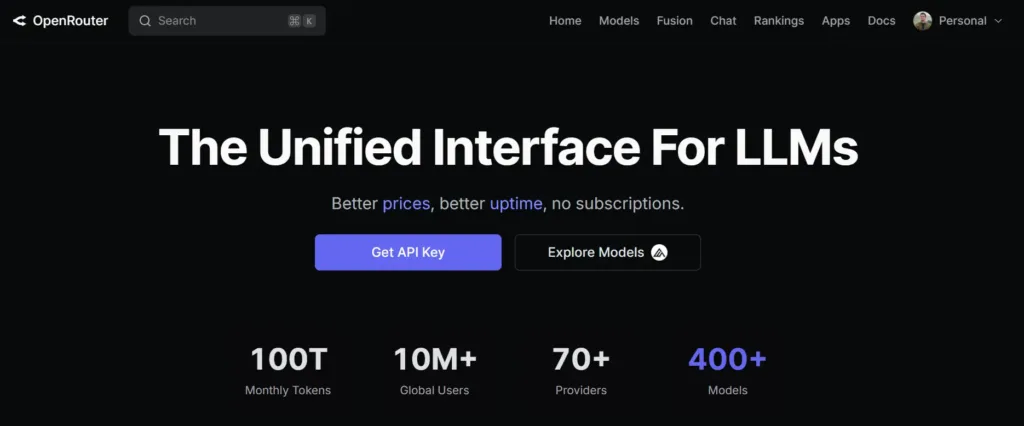
OpenRouter is a platform that lets you access many AI models through one API. Instead of creating separate accounts for OpenAI, Anthropic, Google, Meta, Qwen, Mistral, and other providers, you can connect to OpenRouter once and choose the model you want to use.
For developers, this is useful because you can test different models without changing your full app setup. You only need an OpenRouter API key, a model slug, and a request format that is similar to the OpenAI API. Here is the simple flow:
OpenRouter also helps with routing. If a model is available from multiple providers, OpenRouter can route the request to a suitable provider based on availability, cost, or performance. It can also support fallback models, which means your request can move to another model if the first one fails or becomes unavailable.
This is why OpenRouter is helpful for programming workflows. You can compare free OpenRouter AI models, test coding quality, check speed, and find the right model for your project without rebuilding your AI setup every time.
For example, a WordPress AI agent can use OpenRouter to generate code snippets, classify form entries, format API responses, review support tickets, or create WooCommerce product descriptions. You can start with free OpenRouter AI models for testing, then move to paid models later if your workflow needs more stability or higher limits.
Now that you know how OpenRouter works, let’s look at the best free OpenRouter AI models for programming. Each model below is useful for a different coding need, such as writing code, debugging, planning workflows, building AI agents, or working with large project context.
| Model | Lo mejor para | Context Window | Why Choose It |
|---|---|---|---|
| Qwen3 Coder 480B A35B | Overall programming and large codebases | 1M tokens | Best first choice for coding, tools, and repo-level tasks |
| Poolside Laguna M.1 | Agentic software engineering | 262K tokens | Built for complex coding agents and reasoning workflows |
| Cohere North Mini Code | Fast coding and terminal tasks | 256K tokens | Lightweight coding model with strong output length |
| NVIDIA Nemotron 3 Ultra | Planning, debugging, and long reasoning | 1M tokens | Good for multi-step coding logic and workflow planning |
| OpenAI gpt-oss-120b | General coding assistant tasks | 131K tokens | Strong reasoning, tool use, and structured output support |
| Google Gemma 4 31B | Coding with documents or images | 262K tokens | Useful when code tasks include docs, screenshots, or mixed inputs |
The sections below explain where each model fits best, what makes it useful for programming, and when you should avoid using it.
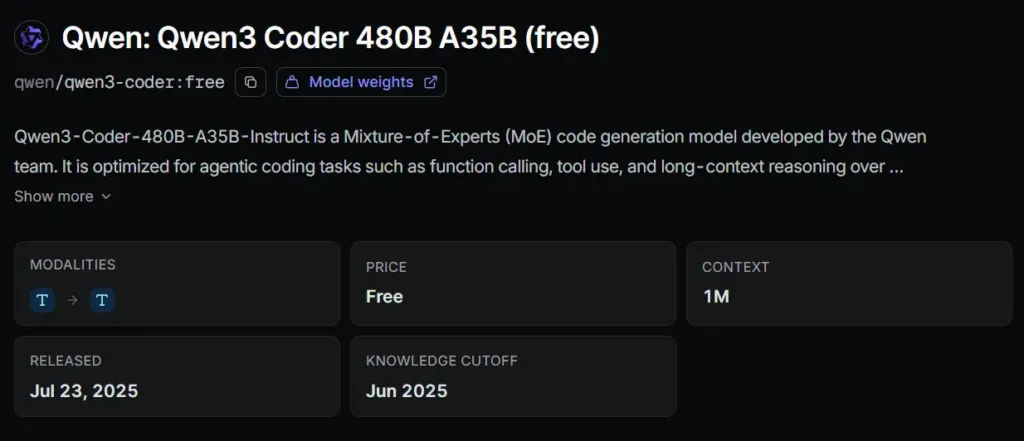
Qwen3 Coder 480B A35B is the best starting point if you want one free model for serious programming work.
It is a Mixture-of-Experts code generation model with 480B total parameters and 35B active parameters per forward pass. The model is optimized for agentic coding, function calling, tool use, and long-context reasoning over repositories. That makes it useful for:
The 1M token context window is the main advantage. It lets the model handle more project context than smaller coding models. That matters when you need the AI to understand how multiple files, functions, hooks, APIs, or workflow steps connect.
Choose Qwen3 Coder if you want the most balanced option among free openrouter ai models for programming.
Best use case: Building, editing, and reviewing real code across larger projects.
Watch out for: Free model capacity can change, and large context does not always mean perfect output. You still need to test the code.
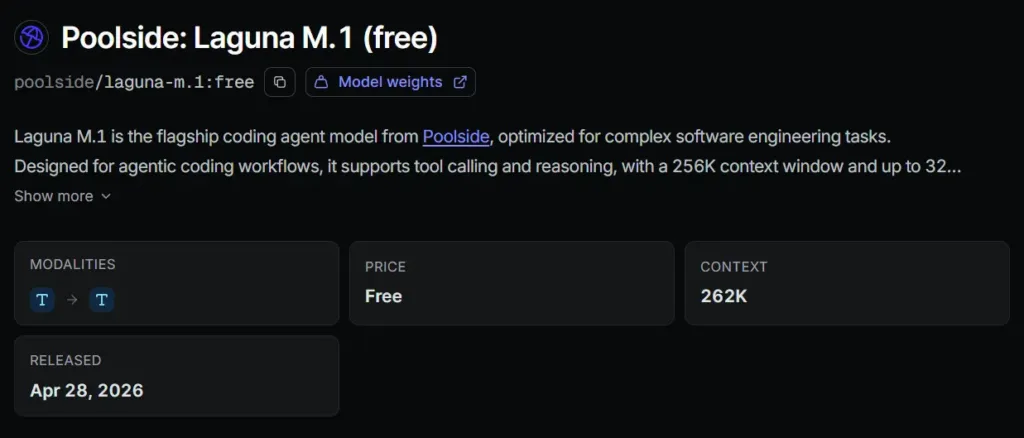
Poolside Laguna M.1 is built for complex software engineering tasks. It supports tool calling and reasoning, and it is designed for agentic coding workflows.
This makes it a strong option when the AI is not only answering coding questions, but also helping with a multi-step workflow. For example, Laguna M.1 can fit well when you need an AI agent to:
Its 262K context window is smaller than Qwen3 Coder, but still large enough for many real programming workflows. It also supports up to 32K output tokens, which is helpful for longer code responses, file rewrites, and implementation plans.
Laguna M.1 is one of the better free OpenRouter AI models if your focus is agentic software development rather than one-shot code snippets.
Best use case: Coding agents, complex implementation flows, and software engineering task planning.
Watch out for: OpenRouter notes that free use of Laguna models may allow inputs and outputs to be used for model improvement. Avoid sending private keys, customer data, or sensitive proprietary code.
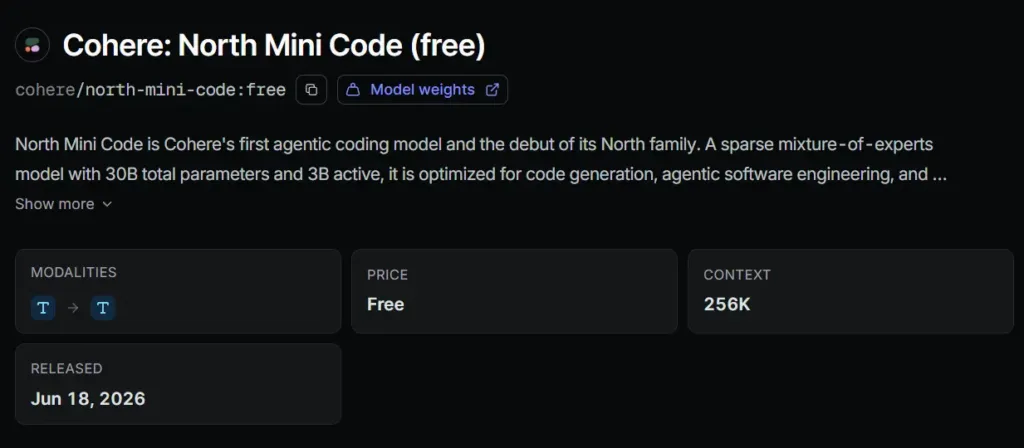
Cohere North Mini Code is a smaller coding-focused model, but that is part of its value.
It is a sparse Mixture-of-Experts model with 30B total parameters and 3B active parameters. It is optimized for code generation, terminal tasks, and agentic software engineering. It also supports a 256K token context window and up to 64K output tokens.
That makes it useful for developers who need a fast and practical coding assistant. Use it for:
North Mini Code may not be the best choice for very large project-level reasoning. But it is a strong option when you want a focused coding model that can handle common developer tasks without using a heavier model every time.
Best use case: Fast code generation, terminal workflows, and lightweight AI coding agents.
Watch out for: For complex architecture decisions, start with Qwen3 Coder, Laguna M.1, or Nemotron 3 Ultra instead.
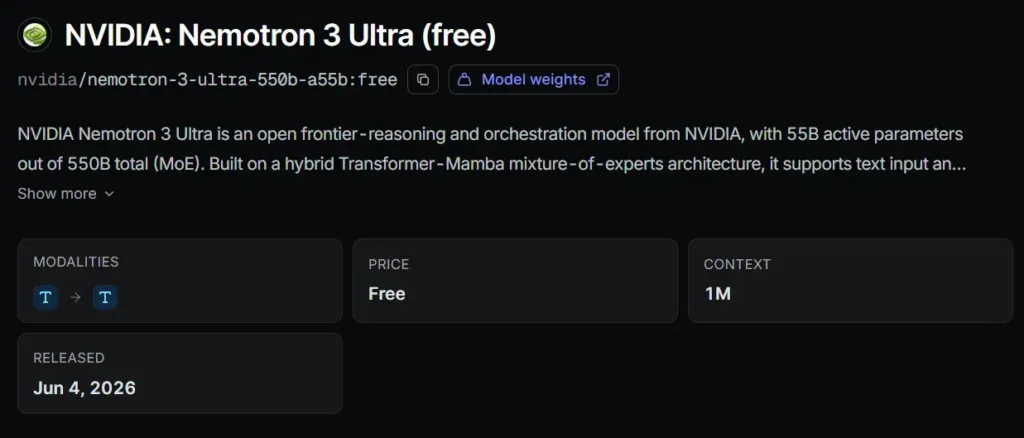
NVIDIA Nemotron 3 Ultra is not only a coding model. It is a frontier-reasoning and orchestration model designed for long-running agentic workflows.
It has 550B total parameters, 55B active parameters, and a 1M token context window. OpenRouter describes it as suitable for coding agents, deep research, enterprise tasks, multi-step reasoning, planning, and agent orchestration.
That makes it useful when the coding problem is not just “write this function.”
Use Nemotron 3 Ultra when you need help with:
For WordPress automation, this can be useful when you are designing logic for AI agents, webhook flows, API requests, or multi-step workflow conditions.
Best use case: Reasoning-heavy programming tasks and long technical planning.
Watch out for: It may be more useful as a planning and debugging assistant than a pure code-writing model.
OpenAI gpt-oss-120b is a strong general-purpose open-weight model available through OpenRouter as a free variant.
It is designed for high-reasoning, agentic, and general production use cases. It supports tool use, function calling, structured outputs, and configurable reasoning depth.
For programming, that makes it useful when your task includes both code and structured logic. Use it for:
It has a 131K context window, which is smaller than Qwen3 Coder and Nemotron 3 Ultra, but still enough for many programming tasks.
gpt-oss-120b is a good backup model when you need a flexible coding assistant, not a dedicated code-only model.
Best use case: Structured coding tasks, general programming help, and tool-based workflows.
Watch out for: Its knowledge cutoff is older than some newer models, so check newer framework, library, and API details before using the output in production.
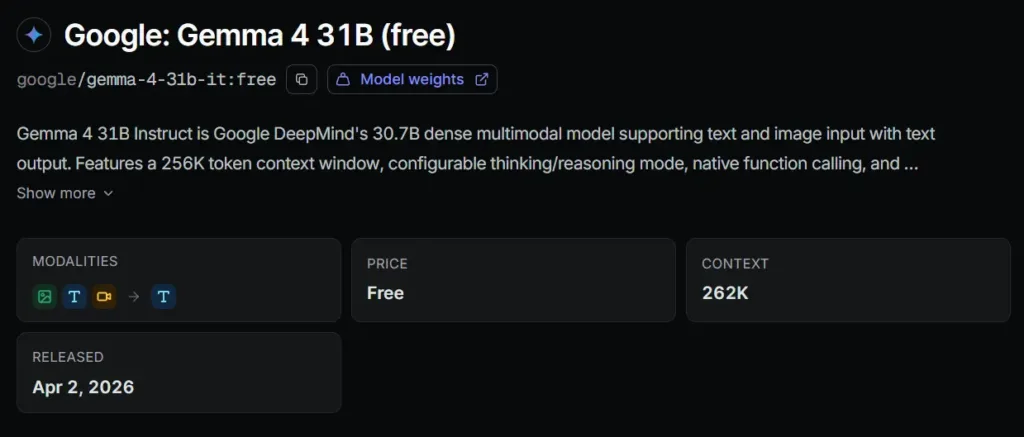
Google Gemma 4 31B is useful when programming tasks include more than plain code.
It supports text and image input, has a 256K context window, supports function calling, and works across many languages. OpenRouter describes it as strong on coding, reasoning, and document understanding tasks.
This makes it useful when a developer needs to work from:
It may not be the first choice for deep code generation. But it is useful when code work depends on document understanding or visual context.
Best use case: Coding tasks that include screenshots, docs, or mixed input.
Watch out for: For pure programming, start with Qwen3 Coder, Laguna M.1, or North Mini Code first.
OpenRouter also has openrouter/free, a router that selects from available free models. It can filter models based on features needed for the request, such as tool calling, structured output, or image support.
This is useful for testing.
But for programming, it is usually better to choose a fixed model slug.
Why?
Coding needs consistency. If the router picks different models across requests, your output style, reasoning depth, and code quality may change. That can be a problem when you are building an AI coding assistant, WordPress AI agent, or automation workflow.
Utilice openrouter/free for quick experiments.
Use a specific model like qwen/qwen3-coder:free, poolside/laguna-m.1:free, o cohere/north-mini-code:free when you need predictable coding output.
OpenRouter is especially useful when you want to test different AI models inside a WordPress automation setup. For example, a WordPress AI agent can use OpenRouter models to:
If you want to connect OpenRouter with a WordPress AI agent, Bit Flows already has a practical guide here: Connect OpenRouter AI Models With WordPress AI Agent.
For this kind of workflow, start with Qwen3 Coder when the task is technical. Use gpt-oss-120b when you need structured output. Use Nemotron 3 Ultra when the AI agent needs to reason through a longer workflow.
Free models are great for testing, learning, and early development. But you should not treat them like guaranteed production infrastructure.
Before choosing free openrouter ai models for real coding work, keep these points in mind:
For production workflows, test the free model first. If it works well, keep a paid fallback model ready. This helps your app or WordPress automation keep running when a free model is busy, limited, or removed.
If you want one model to start with, choose Qwen3 Coder 480B A35B. It is the best overall pick for programming because it is built for code generation, tool use, function calling, and long-context repository work.
If you are building a coding agent, test Poolside Laguna M.1 next. If you need faster help for smaller code tasks, try Cohere North Mini Code. If your task needs deep planning or debugging, use NVIDIA Nemotron 3 Ultra.
The best free OpenRouter AI models can save time, reduce testing cost, and help developers compare AI coding performance quickly. But the final choice should depend on your real task, not the model name.
Sí, los modelos de IA gratuitos de OpenRouter pueden ayudar con la generación de código, la depuración, la refactorización, la lógica de API y la planificación de automatización. Son mejores para pruebas, aprendizaje, prototipado y creación de flujos de trabajo iniciales. Para uso en producción, revise siempre la salida, ejecute pruebas y tenga un modelo de respaldo de pago preparado.
En muchos casos, sí, pero debes consultar la página del modelo y los términos del proveedor antes de utilizar cualquier modelo en un flujo de trabajo comercial. El acceso gratuito no siempre significa la misma privacidad, límite de velocidad o derechos de uso en todos los proveedores.
Qwen3 Coder es una opción sólida para el desarrollo de WordPress porque maneja bien la codificación, el contexto largo y las tareas basadas en herramientas. Puede ayudar con la lógica de los complementos, hooks, trabajo con la API REST, flujos de trabajo de WooCommerce y planificación de automatización.
Pueden ayudar a crear archivos de complementos, lógica de aplicaciones, funciones y planes de implementación. Pero no deben reemplazar la revisión del desarrollador. El código generado por IA puede omitir comprobaciones de seguridad, casos extremos, saneamiento, validación o reglas específicas del framework.
Some free models support function calling, but not all of them. Check the model details before using it in an AI agent or automation workflow. Function calling is important when the model needs to trigger tools, return structured data, or work inside a workflow builder.
Do not send private keys, passwords, customer data, unreleased product logic, or sensitive business code to a free model unless you have checked the provider’s privacy policy. Some free model providers may use inputs and outputs for improvement or monitoring.
Different models have different training, reasoning styles, context limits, and output behavior. Even the same model can give different answers when temperature, prompt detail, or context changes. For programming, use clear instructions, share the needed file context, and test the final code.
No. Use one main coding model for consistency, but keep alternatives for specific needs. Use a coding model for code generation, a reasoning model for planning, and a multimodal model when the task includes screenshots or documents.
The main limit is reliability. Free models may have rate limits, provider changes, slower access, or temporary unavailability. That is fine for testing, but risky for business-critical automation unless you add fallback logic.
Start with small tasks. Ask the model to explain code, fix one bug, write one function, or improve one API request. Then compare outputs from two or three models. This helps you find which model fits your coding style before using it in a larger project.




 ES
ES  EN
EN  DE
DE  NL
NL  IT
IT