Bought a “lifetime” automation plan but still had to worry about monthly task limits?
That is the main problem with OttoKit. You stop paying every year, but the monthly task limit is still there.
As your workflows grow, those limits can become harder to ignore. More orders, more leads, more app actions, and more client automations can quickly increase task usage. You may also want more control over where your workflows run and how your automation data is handled.
If you are reaching those limits, switching tools can make sense. Some alternatives give you self-hosting, some offer different pricing models, and others give you more technical control.
In this guide, I compare four of the best OttoKit alternatives: Bit Flows, Pabbly Connect, n8n, and Activepieces. Their pricing and feature limits were checked against vendor pages in September 2026.
If you are comparing OttoKit alternatives in 2026, the best choice depends less on which tool has the longest feature list and more on how you want your automation to run.
Bit Flows suits WordPress-focused teams that prefer self-hosted workflows and lifetime pricing. Pabbly Connect is a better fit for users who want cloud automation with one-time payment options. n8n gives developers more control over self-hosting, APIs, code, and complex automation, while Activepieces appeals to teams that want an MIT-licensed open-source core and control over their own infrastructure.
We compared OttoKit, Bit Flows, Pabbly Connect, n8n, and Activepieces using the criteria that matter most in real workflows: hosting, pricing, task limits, WordPress support, AI features, APIs, maintenance, and best-fit users. The goal is to show where each tool fits best, using current product information and honest tradeoffs rather than forcing one platform to win every category.
| Ferramenta | Hosting model | Lifetime option | Usage model | Integration position | Melhor ajuste |
| OttoKit | Hosted cloud + WordPress connector | Sim | Tasks per month | 1,500+ apps | WordPress + SaaS users who prefer managed automation |
| Bit Flows | Self-hosted WordPress plugin | Sim | Unlimited workflows, tasks, connections on current paid plans | 391+ app integrations + APIs/custom apps | WordPress-centered workflows and high task volume |
| Pabbly Connect | Hosted cloud | Sim | Depends on plan; internal tools may not consume tasks | Mais de 2.000 integrações | Cloud users who want one-time purchasing |
| n8n | Nuvem ou auto-hospedado | No conventional LTD | Cloud bills by full workflow executions | Large node/API ecosystem | Developers and technical automation teams |
| Activepieces | Nuvem ou auto-hospedado | No conventional LTD | Cloud uses credits; self-hosted MIT core has no run metering | 760+ pieces | Open-source and self-hosting teams |
Melhor para: WordPress and WooCommerce businesses that want visual multi-step automation, a one-time licence option, and no per-task software billing.
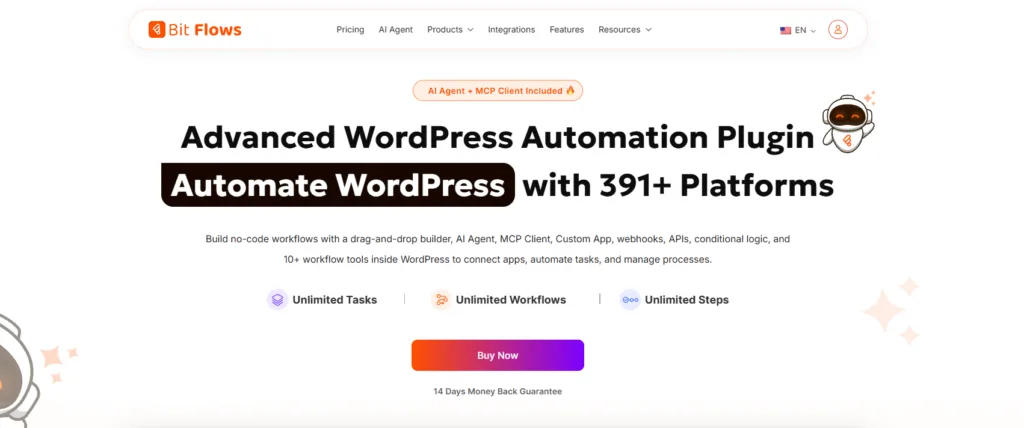
As a self-hosted OttoKit alternative, Bit Flows runs inside WordPress, so you build and execute workflows from your own site instead of relying on a separate cloud automation platform. That difference matters most when WordPress is where the work begins.
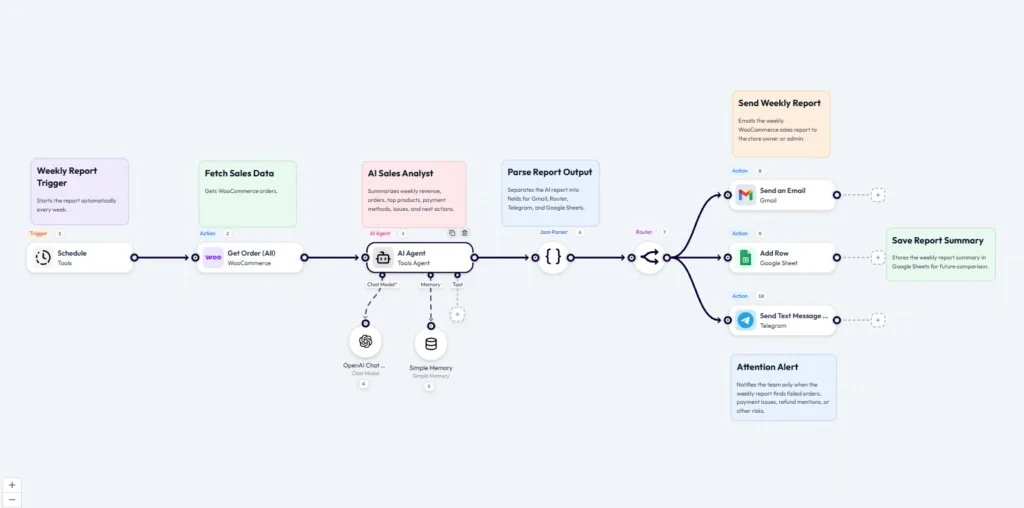
A WooCommerce order, for example, could trigger a condition, update a CRM, add a row to Google Sheets, and notify your team in Telegram. Because Bit Flows does not meter each action as a separate software task, that model can be easier to manage when workflow volume grows.
For more advanced use cases, you can add branching, loops, delays, API calls, webhooks, AI Agent, Human in the Loop, logs, and re-execution. The Human in the Loop feature is especially useful when an AI-assisted workflow still needs a person to approve the next step.
This workflow shows how Bit Flows can handle more advanced WordPress automation beyond simple app connections.
Compared with OttoKit, Bit Flows is the stronger fit when self-hosted WordPress execution and task volume matter more than managed cloud infrastructure. OttoKit remains the better fit for users who prefer cloud execution and a larger native app catalogue.
Honest tradeoff: Bit Flows supports fewer ready-made integrations than OttoKit, and workflows run on your WordPress environment.
You can check the current plans on the Bit Flows pricing page or see the deeper Bit Flows vs n8n comparison if self-hosting is a major part of your decision.
Melhor para: Businesses that want broad SaaS automation, lifetime pricing options, and cloud-hosted workflows without managing their own infrastructure.
Pabbly Connect is a hosted automation platform, so your workflows run in Pabbly’s cloud rather than on your WordPress server. Its appeal is the combination of a large integration catalogue, multi-step automation, and both recurring and lifetime plans.
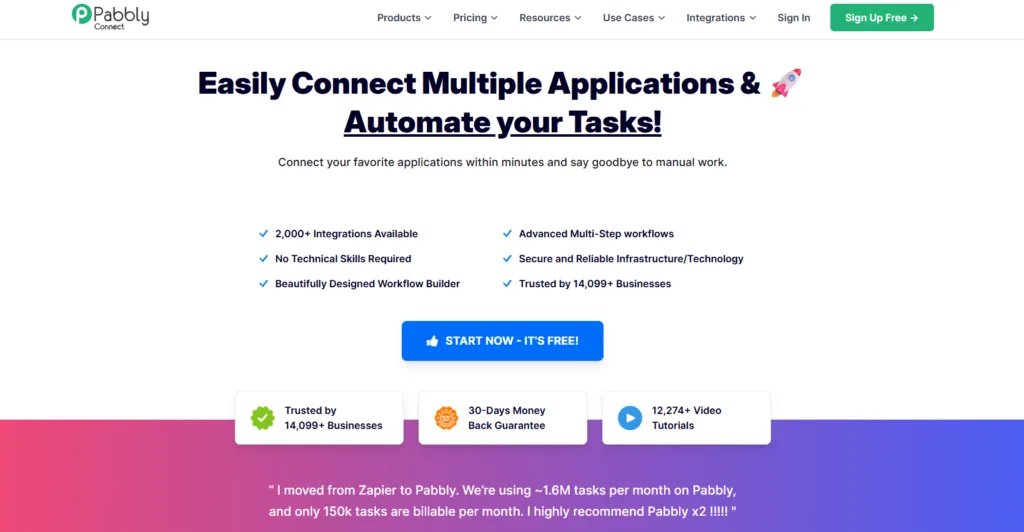
Pabbly’s internal tools such as Filter, Router, Formatter, Schedule, and Iterator do not consume tasks, which can make logic-heavy workflows more economical. On task-limited plans, external app actions consume tasks, while Pabbly’s internal tools remain free. Pabbly also offers a separate Unlimited plan.
Compared with OttoKit, Pabbly is a better fit when cloud automation and one-time purchases matter more than WordPress-native execution. OttoKit may still make more sense if your workflows rely heavily on its WordPress ecosystem and you prefer its existing app connections.
A typical Pabbly Connect automation can connect multiple apps into a single workflow. For example:
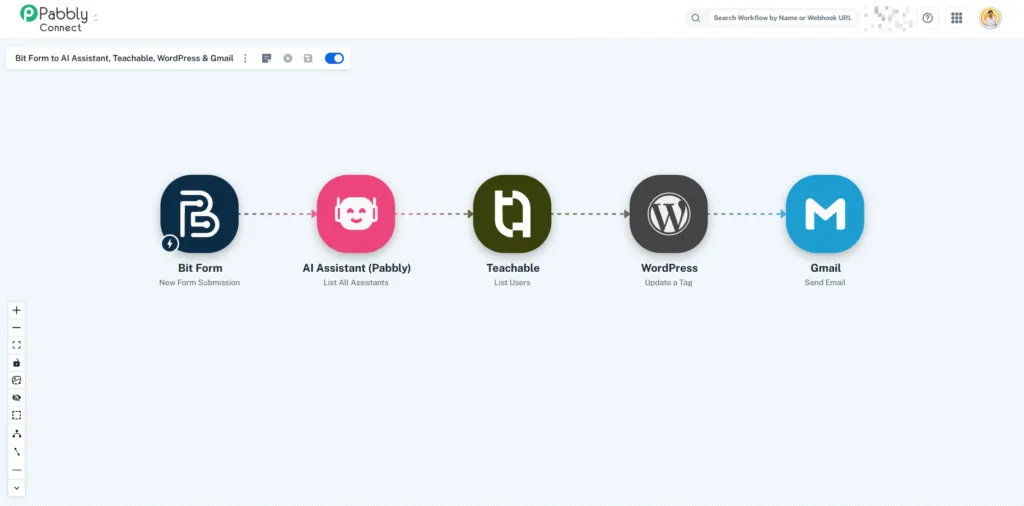
This type of multi-step workflow shows where Pabbly Connect fits well: users who want cloud-based automation without managing servers or maintaining self-hosted infrastructure.
Honest tradeoff: Pabbly is not self-hosted, and a lifetime plan does not automatically mean unlimited tasks. Pabbly’s lifetime offers still come with monthly task allowances, so check the current lifetime-plan limit before choosing based on price alone.
Melhor para: Developers and technical teams that want self-hosting, API-heavy workflows, code steps, and deeper control over how automation runs.
n8n is built for teams that are comfortable treating automation as part of their technical infrastructure. You can use its managed cloud service or run the Community Edition on your own server, giving you more control over deployment, data, and custom workflow logic.
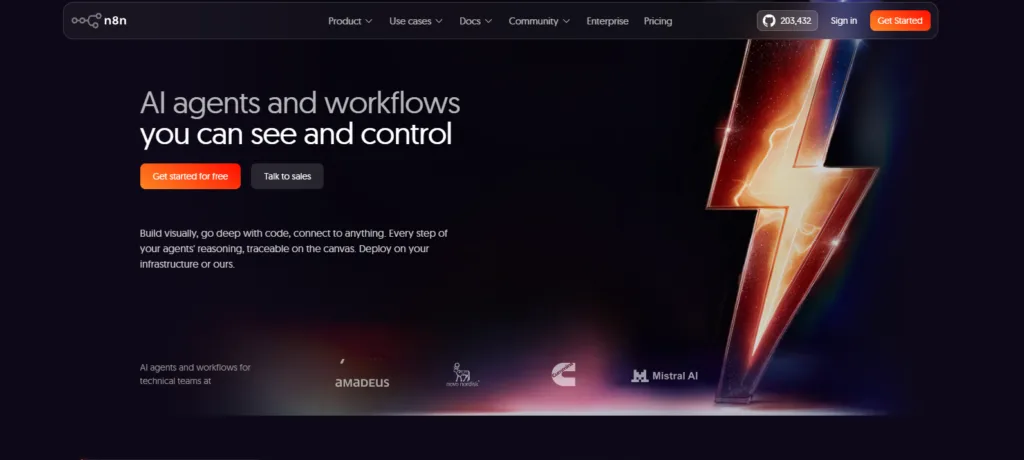
n8n also uses a workflow-execution model rather than counting every normal step as a separate task, which can be useful for long, multi-node automations.
Compared with OttoKit, n8n fits better when self-hosting, custom APIs, code, and developer-level flexibility matter more than a managed no-code experience. OttoKit may be easier for teams that want cloud infrastructure handled for them and stronger WordPress-focused convenience.
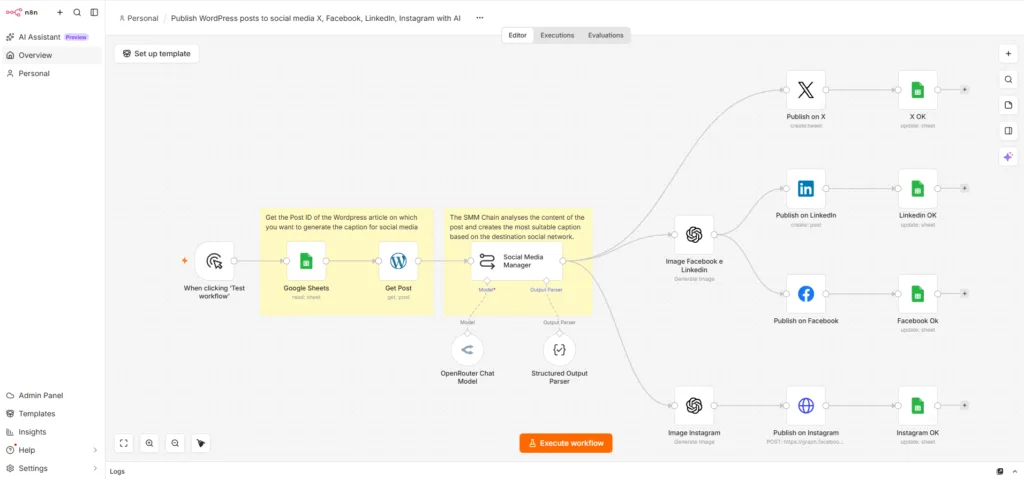
This workflow demonstrates how n8n can be used as an automation engine for an AI-driven content distribution funnel. The framework shows how technical teams can build custom automation pipelines by combining content sources, AI processing, conditional logic, and multi-channel publishing in one workflow.
Honest tradeoff: Self-hosted n8n requires more technical setup and ongoing maintenance, including deployment, updates, backups, security, and server resources, so it can be unnecessary overhead for simpler WordPress workflows.
Melhor para: Technical teams that want an MIT-licensed automation core, self-hosting, and more control over infrastructure and customization.
Activepieces is different from OttoKit because its core is released under the MIT license. You can run the Community Edition on your own infrastructure, inspect or modify the code, and build custom pieces when the ready-made integrations do not cover your use case.
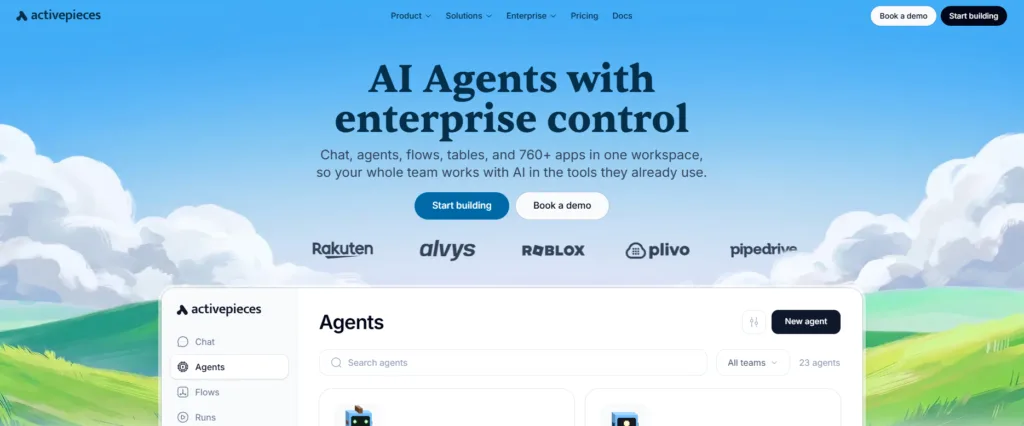
This makes Activepieces a strong fit for teams building internal tools, SaaS workflows, or automation systems where open-source licensing and data location matter as much as the workflow builder itself.
Compared with OttoKit, Activepieces fits better when self-hosting and software ownership are priorities. OttoKit may be a better fit for users who prefer managed cloud infrastructure and do not want to maintain their own automation environment.
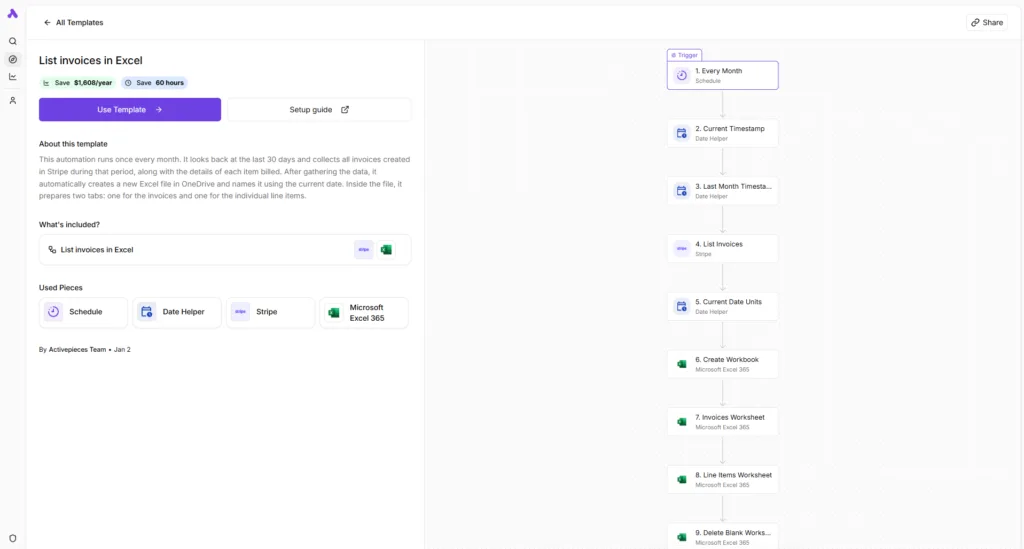
This workflow demonstrates how Activepieces can be used to build repeatable business automation systems without writing custom code. The visual workflow approach makes Activepieces suitable for teams that want open-source automation capabilities with the flexibility to create, customize, and self-host their own automation infrastructure.
Honest tradeoff: Self-hosting Activepieces still requires infrastructure management, and some collaboration and governance features are reserved for commercial plans rather than the MIT-licensed Community Edition.
These terms often get mixed together, but they describe different parts of an automation tool. Auto-hospedado tells you where the software runs, lifetime pricing tells you how you pay for access, and open-source tells you what rights you have over the code. A tool can offer a lifetime licence and still run in the vendor’s cloud, while another can be self-hosted without offering lifetime pricing.
That distinction matters when comparing OttoKit alternatives or older SureTriggers alternatives. Bit Flows, n8n, and Activepieces support self-hosting in different ways, while Bit Flows, OttoKit, and Pabbly Connect offer one-time purchasing options. Activepieces stands apart with an MIT-licensed core, while n8n uses a fair-code model. So before choosing, decide whether your priority is where the workflow runs, how you pay, or how much control you want over the software itself.
The right OttoKit alternative depends on what problem you are trying to solve.
Escolha Bit Flows if your workflows mainly start inside WordPress and you want a self-hosted automation setup with unlimited workflows and tasks, plus lifetime licensing options. Choose Pabbly Connect if you prefer managed cloud automation with lifetime pricing options. Choose n8n when your team needs deeper technical control, custom APIs, and self-hosted infrastructure. Choose Activepieces when open-source licensing and deployment flexibility are priorities.
If OttoKit already fits your workflow, integration needs, and usage limits, switching may not provide a meaningful advantage. The best choice is the platform that matches how your team builds, manages, and scales automation.
If you want more examples of how high-volume WordPress automation differs from task-metered SaaS platforms, the Bit Flows Zapier alternatives guide covers that angle in more depth.
The right OttoKit alternative depends on the limitation you want to solve. If you need more control over where workflows run, want to avoid task-based automation models, or need deeper customization, exploring alternatives can make sense.
For WordPress-centered workflows, a self-hosted option like Bit Flows can provide a different approach. For cloud-based automation, Pabbly Connect offers another pricing model, while n8n and Activepieces are better suited for teams that need more technical control.
The best way to decide is to test one real workflow from your daily process. Compare the setup experience, workflow management, and long-term fit before moving your entire automation system.
Bit Flows fits WordPress-first self-hosted automation, Pabbly suits cloud lifetime buyers, n8n suits technical teams, and Activepieces fits users who specifically want an MIT-licensed core.
Yes, Bit Flows runs inside WordPress, n8n offers a self-hosted Community Edition, and Activepieces provides an MIT-licensed core that can run on your own infrastructure.
Bit Flows and Pabbly Connect currently offer lifetime purchasing options, while n8n and Activepieces focus on recurring cloud plans or self-hosted editions instead.
Bit Flows can fit better when WordPress-local hosting and unlimited task execution matter, while OttoKit has a larger native integration directory and managed cloud infrastructure.
Yes, n8n is a strong OttoKit alternative for developers who need self-hosting, code steps, custom APIs, AI workflows, and deeper control over automation infrastructure.
Yes, Activepieces releases its core under the MIT license, while enterprise-specific components use a separate commercial license.
Pabbly’s lifetime plans still use monthly task allowances, although internal tools such as Filter, Router, Formatter, Schedule, and Iterator do not consume tasks.
No, self-hosting describes where the automation engine runs, while lifetime pricing describes how long you can use a purchased license without recurring renewal fees.





 PT
PT  EN
EN  DE
DE  ES
ES  NL
NL  IT
IT  JA
JA 